
Mesh Priority
Nested Mesh Regions
In Icepak, you can create mesh regions within larger mesh regions. Mesh regions can contain multiple nested, smaller mesh regions, each with differing mesh settings. The global mesh region is the outermost region, which is assigned the lowest mesh priority. The innermost mesh region is assigned the highest mesh priority. Mesh priority escalates from the innermost mesh region to the outermost region.
Mesh settings assigned to an outer mesh region are applied to the mesh in the region with the exception the space occupied by any inner mesh regions. Mesh priority applies to three-dimensional and two-dimensional regions.
Overlapping Mesh
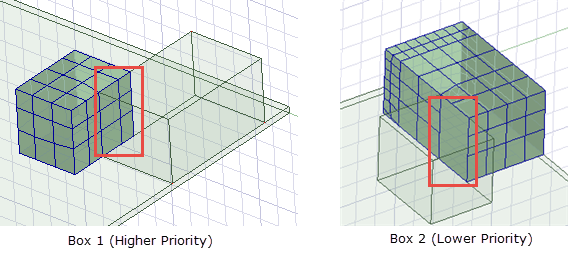
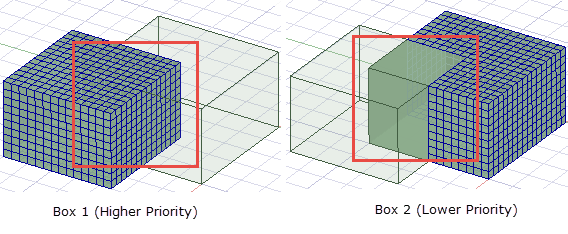
Two-dimensional objects and faces of three-dimensional objects can have overlapping surfaces, and three-dimensional objects can have overlapping volumes. When displaying mesh on overlapping objects, the overlapping mesh area is displayed on the object with the higher priority as in the figures below. Note the overlapping areas in the red boxes. Because Box 1 is a higher priority object the overlapping area's mesh is displayed with it.
When displaying post-processing data on objects with overlapping surfaces, the overlapping surface area is included in the calculation for both objects regardless of priority.