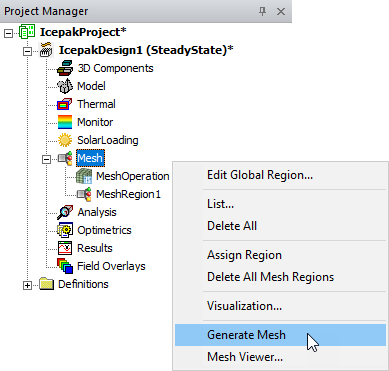
Generating the Mesh
After you have defined global mesh settings and assigned locally refined mesh regions, you can generate the mesh.
To generate the mesh:
Note:
If you have not yet saved the project, Icepak will prompt you to do so before generating the mesh.
- In the Project Manager, right-click Mesh and select Generate Mesh.
- You can monitor the progress of the mesh generation in the Progress window. When mesh generation is complete, a message is displayed in the Message Manager window.