Setting a Plot's Visibility
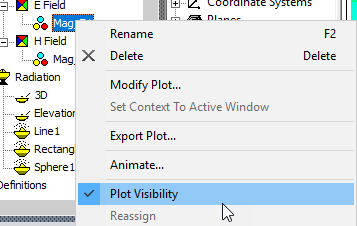
You can control the visibility of Field Overlays by means of the View> Visibility> Active View Visibility dialog box, Fields Reporter tab (shown below) or by right-clicking on the plot in the Project Manager and checking or unchecking Plot Visibility.