
Editing 3D Component Properties
You can change and manipulate 3D components in several ways:
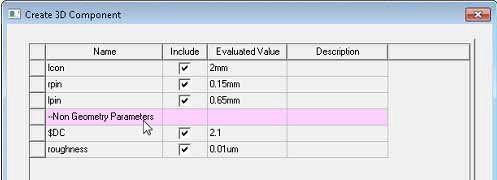
- Edit component parameters, if defined for that component. Editing the parameters of one component instance affects only that instance. If a component includes non-Geometry parameters, these are grouped separately on the Parameters tab.
- Copy/Paste component
- Delete component
- Arrange (Move, Rotate, Mirror) component
- Duplicate component (Along Line, Around Axis, or Mirror)
- Edit Attributes for Display Wire frame, Color, and Transparency.
- Use Edit > Select > Submodel to quickly select component
- Copy/Paste component
- Delete component
- Arrange component: Move, Rotate, and Mirror
- Duplicate component: Along Line, Around Axis, and Mirror
- Edit Attributes for Display Wire frame, Color, and Transparency
- Use Edit > Select > Submodel to quickly select component