
Specifying Single Frequency Points
For Discrete sweeps.
To specify Single Frequency points:
- In the Edit
Sweep dialog box, click Single
Points in the Type pull-down
list.
- In the Single text box, type a desired frequency point, and then select the frequency units.
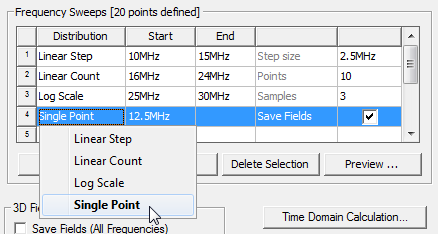
A check mark in the Save Fields column indicates that the fields for the point will be saved. Optionally, click the check box in the Save Fields column.
- Create additional Single point sweeps for each frequency point you want to solve.
For Discrete sweeps, HFSS always solves the frequencies from highest to lowest.