
Padstack instances are pins or vias; either type may have an associated port. The "pin" designation does not imply that a port must be associated with the padstack. When a port is removed from a pin, the object retains its "pin" type. The type is changed through the "Type" property:
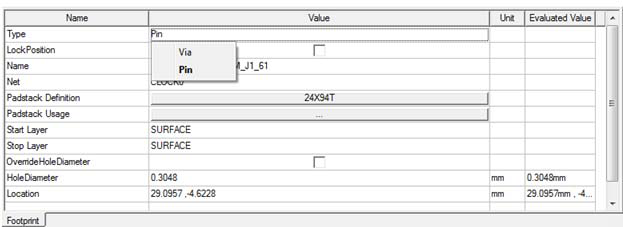
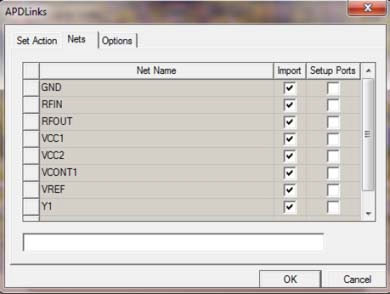
Both APDLinks and ANFV2 imports correctly retain the "pin" and "via" type for padstacks. For APDLinks, only those nets for which "Setup Port" has been selected, has associate ports with the pins.
The following commands act on pins and nets. These are accessed through the shortcut menu on the Layout tab under "Nets" and also on the right-click layout menu. See Pin and Net Padstack Operations for information about the following scripts.
AddPortsToNet
Use:
— Add ports to all the pins on the designated nets.
Command:
— In Layout, Right-click > Port > Create Ports on Net
— Layout tab under Nets, Right-click > Create Ports
RemovePortsFromNet
Use:
— Removes ports from all the pins on the designated nets.
Command:
— In Layout, Right-click > Port > Remove Ports from Net
— Layout tab under Nets, Right-click > Remove Ports
AddPortsToAllNets
Use:
— Adds ports to all the pins in all the nets.
Command:
— Layout tab under Nets, Right-click > Create Ports
RemovePortsFromAllNets
Use:
— Removes ports from all the pins in all the nets.
Command:
— Layout tab under Nets, Right-click > Remove Ports