Generating Automatic HFSS Regions for SIwave (Beta)
HFSS 3D Layout can automatically add HFSS regions for SIwave simulation. These regions are added in locations of significant 3D activity, currently limited to geometry surrounding user-defined excitations and vias on signal nets along routes connecting two user-defined excitations.
The Auto Regions algorithm iteratively expands these initial regions to ensure that the ports generated automatically at the SIwave/HFSS boundaries during simulation are electrically coherent (i.e., there are no discontinuities in their current return paths). For smaller designs, this algorithm should run instantaneously. For larger PCBs, it may take longer.
Complete the following steps to automatically generate HFSS regions.
-
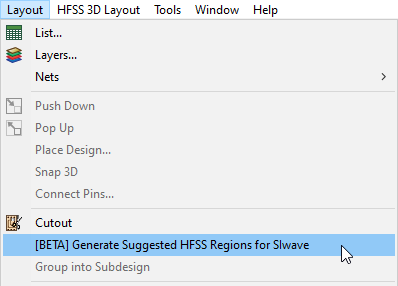
Click Layout > Generate Suggested HFSS Regions for SIwave.
-
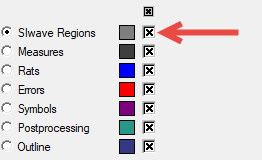
View the generated regions on the SIwave Regions layer.