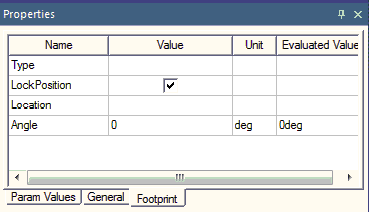
Primitives, components, vias, and pins can all be locked into place in the Layout Editor. The locking attribute is accessed through the Properties window or an object’s Properties window.
Locked objects do not move during an Align or Microwave-port Align operation. If multiple objects are locked, the first pinned object encountered in the selection (based on the selection order) is used as an “anchor” during an align (if there are none, the first object is used). If there is only one object locked, that object becomes the origin of the alignment.
- Once locked, an object cannot be dragged or rotated.
- When locked, no object properties that change position or shape are editable.
- When a locked object is selected, the object handles are not shown.
- Locking a primitive locks the voids it owns.
- Locking a void prevents it from moving when the owner is moved.
To lock an object in the Layout Editor, in the Properties Window or the object’s Propertieswindow (double-click the object) check the LockPosition selection box.