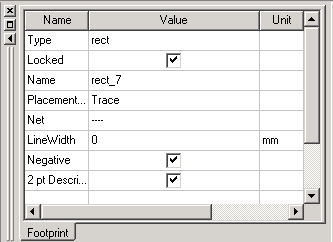
Objects may be designated as a negative. The negative attribute is accessed through the Properties window or an object’s Propertywindow. The following are defined as negative objects:
- Remove material from all items they overlap.
- Export to Gerber, GDSII and DXF.
- Can be copied to the clipboard.
A negative object on a ground layer does not remove material on the layer itself, but rather, interacts with other primitives in the same way as on other layers. Negative objects may contain voids. But a negative always removes material and never adds it. Consequently, a void in a negative is merely an area where material is not removed.
To designate an object as a negative in the Layout Editor, in the Properties window or the object’s Properties window (double-click the object) check the Negative selection box.