Multi-Line Transmission Line Ports
When configuring HFSS ports as multi-line transmission ports, wave ports are created by default, but can be “decoupled” to create a collection of lumped-gap ports. To decouple a multi-line coupled port:
- Select the port graphically, or click Layout > List, then select the port
- Click Draw > Decouple Edge Ports
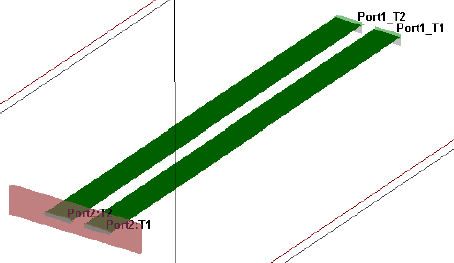
Similarly, ports can be coupled using Draw > Couple Edge Ports. Edge selection must be co-linear, but can span multiple planes.
The following pre-simulation validation checks apply:
- Geometry intersections
- Floating terminals
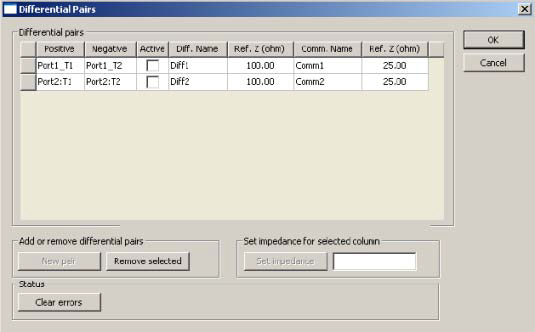
Solution are always terminal, but differential-pairs may be configured separately using the Differential Pairs window.