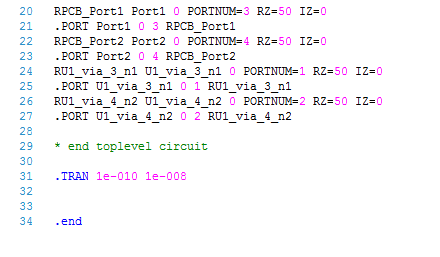
Interface ports and sources (interface and ground) can be added to a 3D Layout design. This applies to any Nexxim solution in 3D Layout (Transient or LNA). Creating interface ports and sources is appropriate to drive Nexxim simulation from 3D Layout.
To place an interface port, click the toolbar icon or right-click in the Layout Editor and select Port > Interface Ports > Create Interface Port.
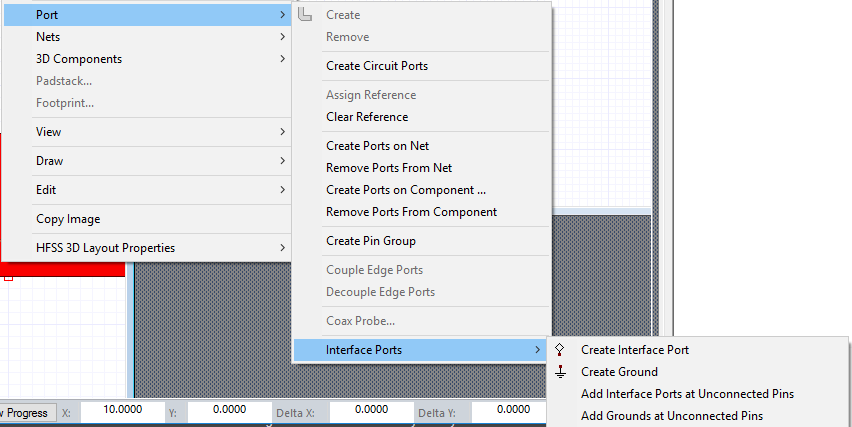
Interface and ground ports can be connected to 3D Layout ports.
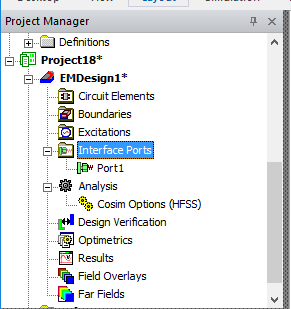
- Add Interface Ports at Unconnected Pins: Automatically create interface ports on unconnected port instances for the selected component(s).
- Add Grounds at Unconnected Pins: Automatically create circuit grounds on unconnected port instances for the selected component(s).
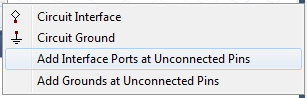
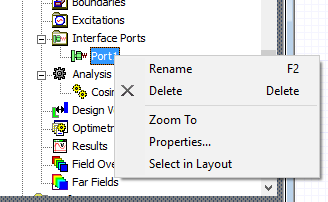
Interface Ports
Once interface ports are placed in layout, an Interface Ports item appears in the Project Tree.
- Properties: Invokes the Interface Port window; users can add interface sources from this window.
Interface Sources
When interface sources have been added to ports, they appear under this Project Tree item.
Netlisting for Interface Ports and Grounds
To see how ports and grounds are netlists, RMC on the LNA or Transient setup to browse the netlist. Netlisting for ports, sources, and grounds is similar to that of a Circuit Design.