
Once the state-space data have been generated and saved, you can import it just like any other static model.
- View the Component Libraries. Open the Symbols area. Click Import Models. From the area, select the SSS icon to open the Import Components window.
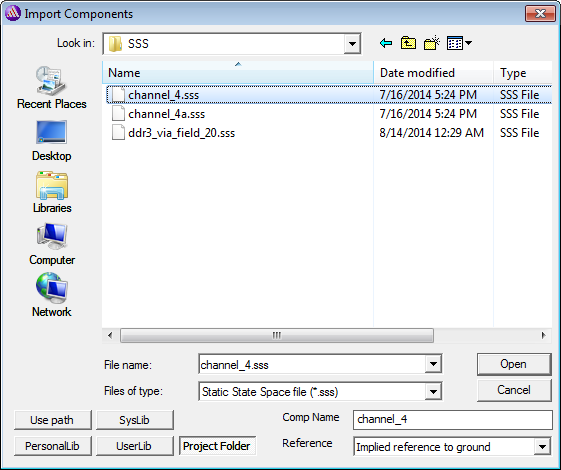
- Select the file containing the state-space data.
- In Comp Name in the lower-right, change the component name if chosen.
- Select a type for the Reference node:
- Implied reference to ground: the global ground is the reference port for each N port connection. Its voltage is always 0V.
- Common reference port: an additional reference pin is added that is a common reference for the definition of port voltages. This reference can have any voltage and corresponds to the net for that extra pin.
- Add individual hidden reference pin per port: an additional reference pin is added for each port. These reference pins are hidden, set to 0V by default, and can each have their own reference voltage. You can connect each reference pin to its own net. Select this option if you do not want to see the reference pins.
- Add individual reference pin per port: an additional reference pin is added for each port. Every reference pin can have its own reference voltage and be connected to its own net.
Note:
See Reference Nodes on S-Parameter Elements in the S-parameter Technical Notes for how the Circuit solver handles reference node configurations.
- Click Open. An instance of the state-space N-port component is attached to the cursor, so drag and place it in the schematic. When you are finished placing instances of the component, right-click and select Finish or press Esc on the keyboard to stop placing instances.