HFSS Adaptive Mesh Tab
From the Project Manager window, right-click on a design and select Design Settings to open the Design Settings window and click the HFSS Adaptive Mesh tab.
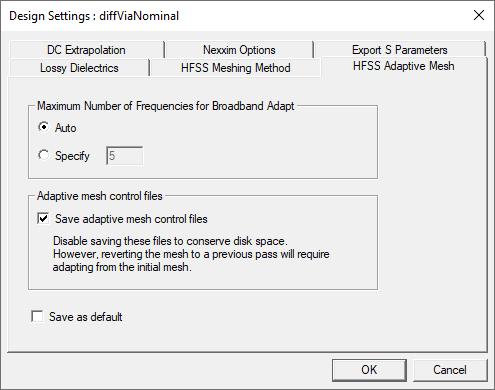
- Maximum Number of Frequencies for Broadband Adapt: Normally the decision for how many frequencies to use for broadband adaptive meshing is set automatically. Because the decision is not straightforward, this option is for advanced users to manually set the maximum number of frequencies to solve during broadband adaptive meshing. This feature works for both auto and advanced HFSS solution setups.
- Save adaptive mesh control files: Allows you to deactivate saving adaptive mesh control files to save disk space. However, if unchecked, reverting the mesh to a previous pass requires adapting on the initial mesh. Changing the setting reverts to the initial mesh.
- Select Save as default and click OK to save the setting to the registry.
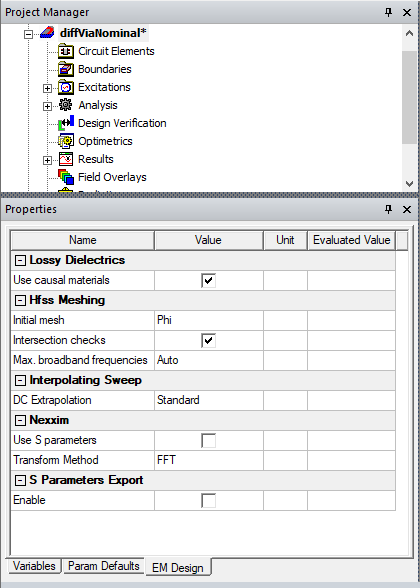
Also view and edit design settings by selecting a design using the EM Design tab of the Properties window.