
You can export data to a State Space File (*.sss) by right-clicking and selecting Export State Space Data under the Definitions/Models folder in the Project Manager window. The Export State Space Data menu item is enabled only if the model has state-space data available. State space data is available when an SSS file is chosen as the data source or when the model has an underlying SSS file associated with it.
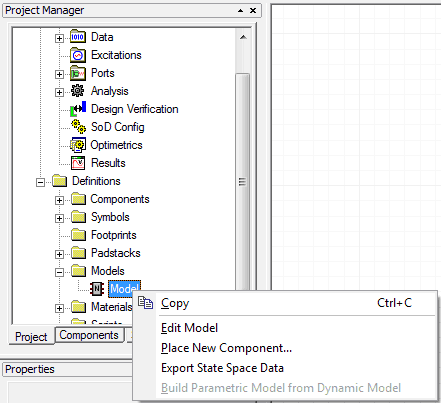
Choosing Export State Space Data opens a Save File As window. When you provide a file name and location, the .sss file is generated and updated with the port names in the model.