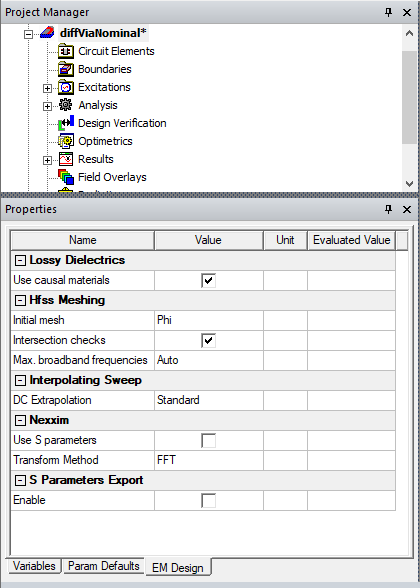
Export S-Parameters Tab
From the Project Manager window, right-click on a design and select Design Settings to open the Design Settings window and click the Export S-Parameters tab.
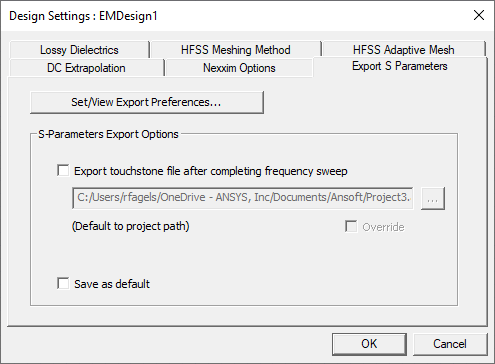
The Export S-Parameters tab lets you Set/View Export Preferences and specify whether to Export Touchstone file after completing frequency sweep.
Click Set/View Export Preferences to open the SYZ Data Export Options window. This window contains a range of choices for output format, including advanced options. SYZ Data Export supports 2 types of export: touchstone export and broadband export.
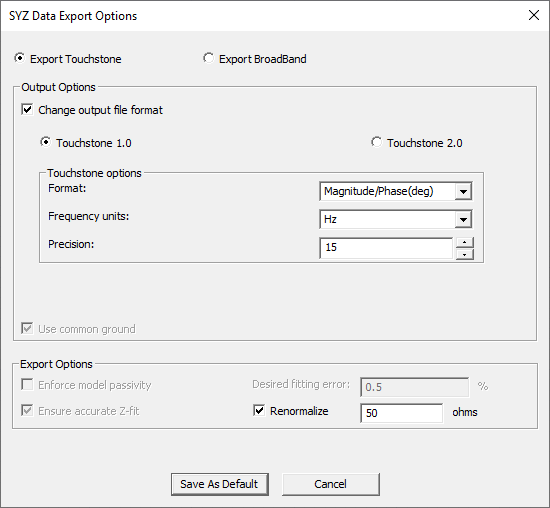
If you select the touchstone export option, at the end of a simulation raw s-parameter data is exported either in Touchstone 1.0 or Touchstone 2.0 as selected by the user.
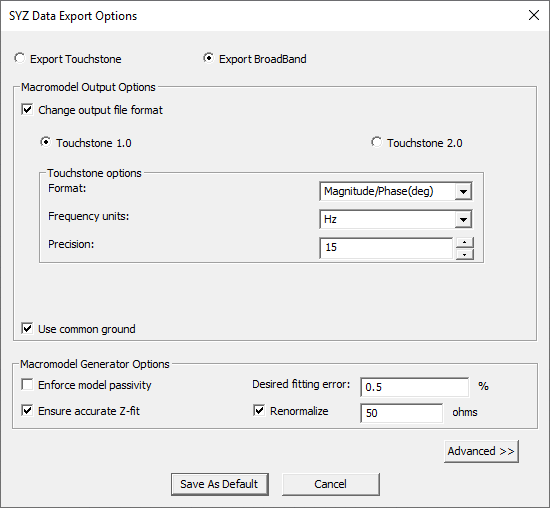
If you select the broadband option, at the end of a simulation the s-parameter goes through a fitting based on the export options selected and data is exported either in Touchstone 1.0 or Touchstone 2.0 as selected by the user.
Click Save as default to save the export settings to the registry.
Selecting a active design in the Project Tree also displays the Design Settings in Properties window under the EM Design tab.