
Defining Equipotential Regions
The DC IR solver uses equipotential regions to force equal voltage across a specified region. Equipotential regions may be defined as rectangular areas on surface signal layers (i.e., top or bottom). Pads of single-layer vias on surface layers may be used to define an equipotential region.
Complete these steps to define equipotential regions.
- From the Layers window, click a surface layer.
- Create a rectangle or select a single-layer via.
- With the rectangle or via selected, right-click and select HFSS 3D Layout Properties > Add Modeling.
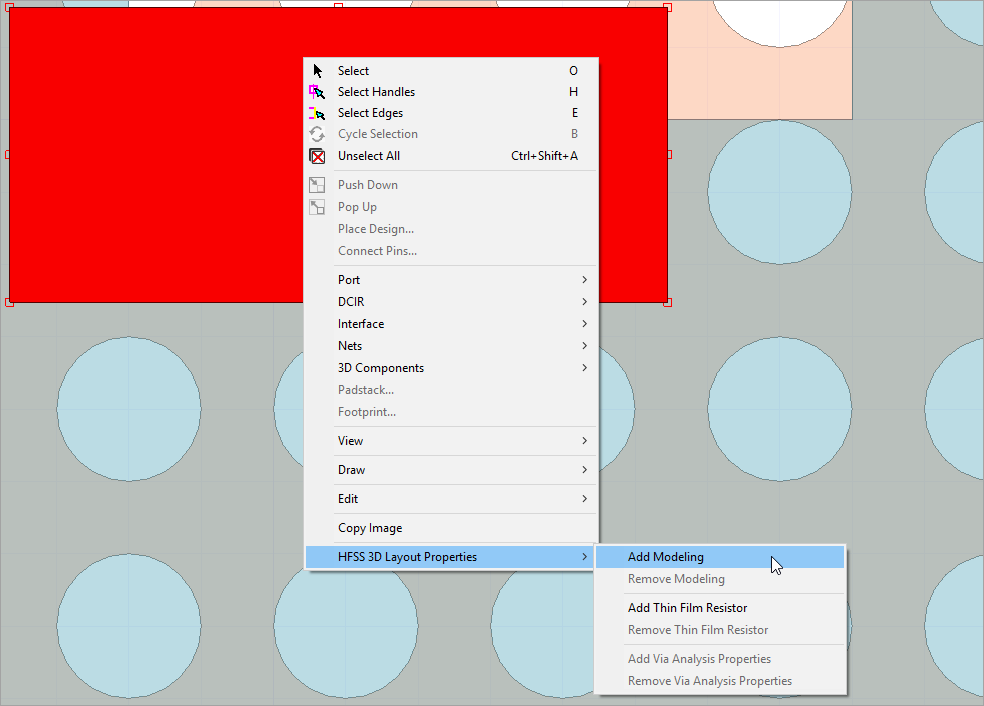
- From the Properties window, click the Modeling Properties tab.
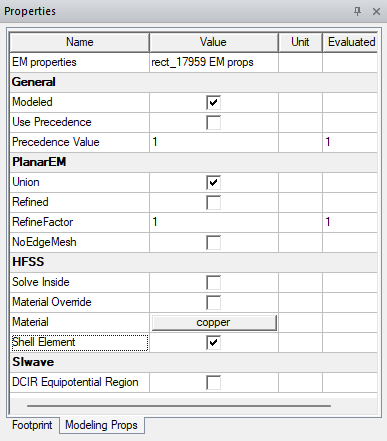
- From the SIwave area, check the DCIR Equipotential Region box to define the region as eqipotential.