Adding Sources, Probes, and Terminals
The DC IR workflow wizard’s Configure DC IR Analysis window can be used to generate any of the new element types attached to pin groups of existing components. Alternatively, the new elements can be generated on the Layout tab.
Both source types (voltage or current) and voltage probes are modeled as two terminal elements, similar to circuit ports, and are generated in a similar way. Sources can be connected to padstack instances, pin groups, or user-specified points in the model space.
Adding Voltage Sources, Current Sources, and Voltage Probes
Complete these steps to add a voltage source, current source, or voltage probe.
- Click Layout.
- From the ribbon, click the Terminal (
 ) icon.
Alternatively, right-click in the design area and select DCIR > Terminal.
) icon.
Alternatively, right-click in the design area and select DCIR > Terminal.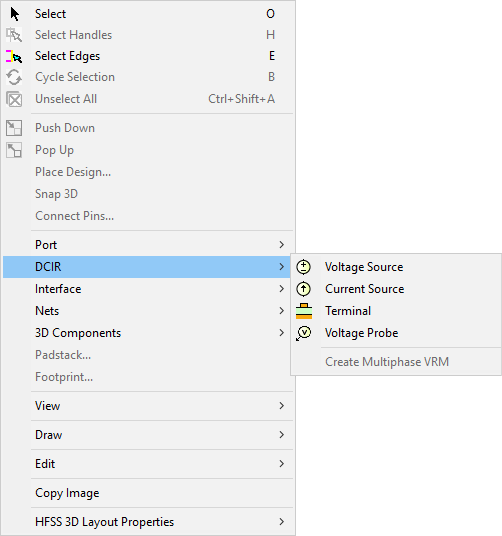
From the Design Area, the cursor transforms into a crosshair.
- Click the location where you want to place the terminal. The terminal appears in the Project Manager window, under DC Terminals, and in the Nets window.
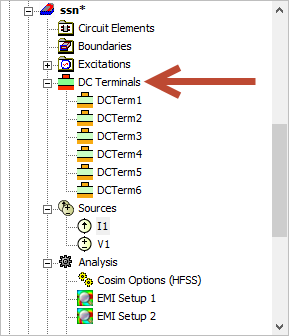
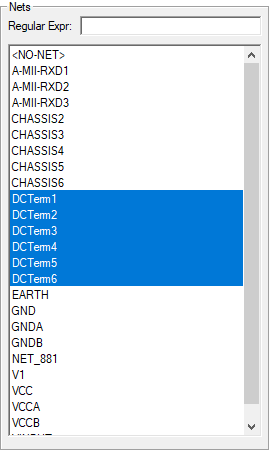 Note: DC terminals can also be attached to pin groups or pins. Select a pin group or pin, then click the Terminal icon. A DC terminal is generated on each selected item that does not already have an associated terminal of some kind.
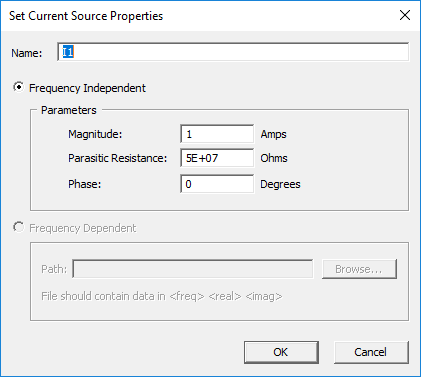
Source and Terminal properties can be edited in their respective Properties windows.