
Configuring Port-Instance Ports
Using the following shortcut menu port commands, you can configure Port-Instance Ports in Layout.
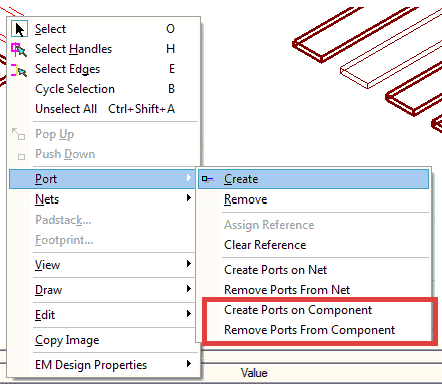
Create a Port-Instance Port on a Port Instance
- Select a port instance with no nets associated.
- Select Right-click > Port > Create.
A Port-Instance Port is created and selected; the property window displays the properties of the port.
Remove a Port-Instance Port from a Port Instance
- Select a port instance or a port-instance port.
- Select Right-click > Port > Remove
The port is removed.
Create Port-Instance Ports on a Component
- Select component(s).
- Select Right-click > Port > Create Ports on Component
Creates ports on all the unconnected port instances of the selected component(s).
Remove Port Instance Ports from a Component
- Select a component.
- Select Right-click > Port > Remove Ports From Component
Removes all Port-Instance Ports on the component.