
Components that do not have footprint geometry are initially rendered on the Symbol layer. When the component is first wired to an object on a physical layer, it renders on that physical layer.

If the component has any pins wired to an object on a physical layer, a new property called Auto Layer Placement appears. It is populated with all the pins that are connected to physical layers, plus an additional override option: use placement layer.
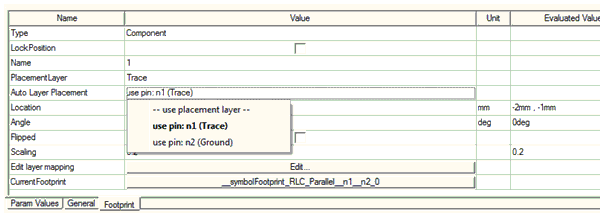
When the Auto Layer Placement is set to use placement layer, the PlacementLayer property is editable and users may override the layer placement for the component rendering.