
Exporting Graphics Files on the Layout 3D Editor
You can export the following graphics formats on the 3D layout editor:
|
Extension |
Contents |
|
.bmp |
Bitmap files. |
|
.gif |
Graphics Interchange Format files. |
|
.jpeg |
Joint Photographics Experts Group files. |
|
.tiff |
Tagged Image File Format files. |
|
.wrl |
Virtual Reality Modeling Language (VRML) files. |
To export a file to a graphics format:
- From the Edit 3D
menu, select Export to save the file in a graphics format. The Export
File window opens:
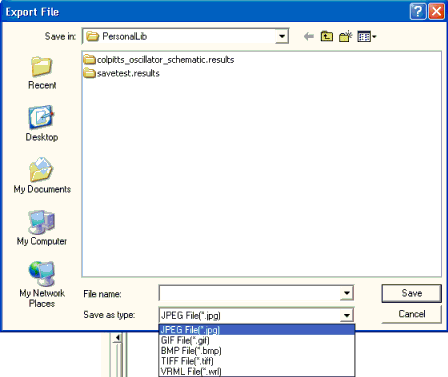
- Use the file browser to find the directory where you want to save the file.
- Type the name of the file in the File Name area.
- Select the chosen graphics file format on the Save as type pull-down list.
- Click Save. The file is exported to the specified location as a graphics file.