
Sonnet Automated Port Tuning Tutorial
Introduction
This tutorial walks through an example of automated port tuning with Ansys Nuhertz Filtersolutions, Circuit, and Sonnet using the project titled Sample Ringres found in C:\Program Files\AnsysEM\v###\Win64\Nuhertz\Tutorials folder of your software download. The v### corresponds to the version number of your software download, e.g. v241 for version 24.1.
About Automated Port Tuning:
-
A fast means to optimize Ansys Nuhertz FilterSolution (ANFS) 3D Layout designs using Circuit and Sonnet S-Parameter based EM cosimulation.
-
Employs Sonnet layout internal Co-calibrated tuning ports to adjust resonator length and separation.
-
Generally two to four electromagnetic (EM) simulations required for completion.
-
Eliminates or greatly reduces the need for traditional bulk EM optimization.
Steps:
-
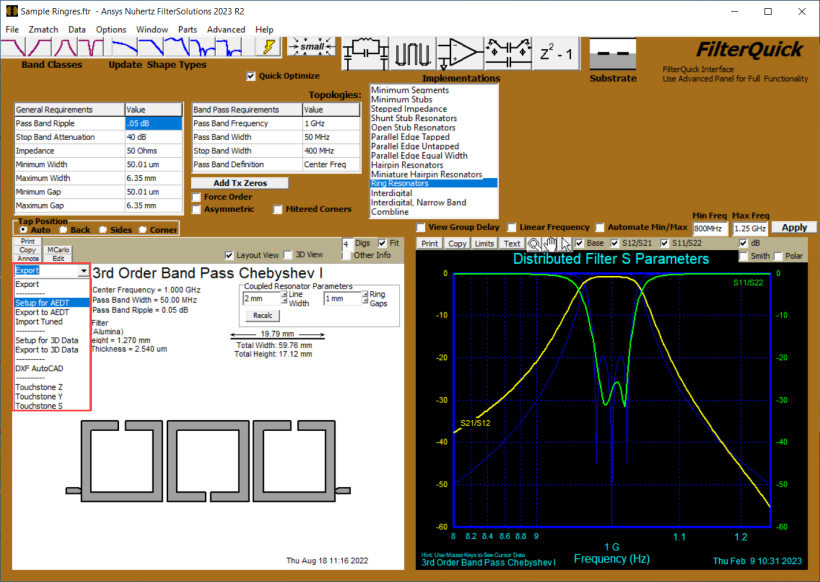
Open the Sample Ringres project with ANFS and launch Ansys Electronics Desktop Export panel by selecting Export > Set up for AEDT.
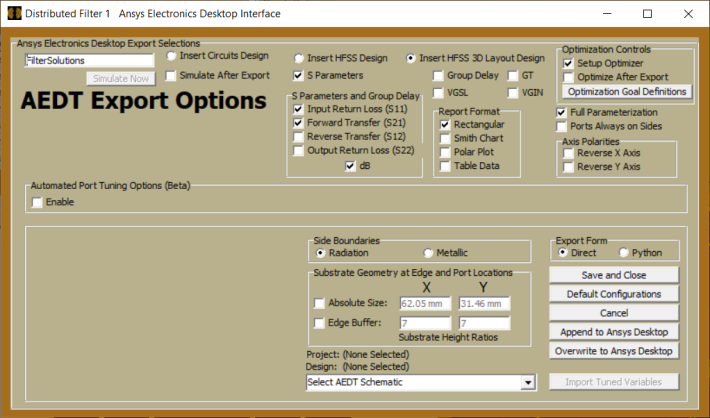
The AEDT Export Panel will open:
-
Optional- If it is desired to customize the goal limits:
-
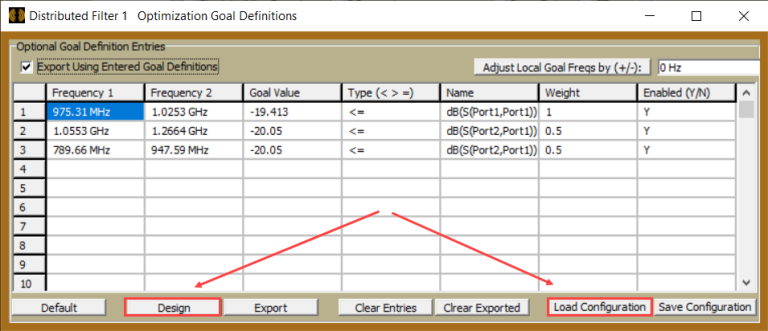
Click Optimization Goal Definitions in the Optimization Controls group box.

-
Optional- Click Design or Load Configuration in the pop-up panel to fill in the existing design goals or previously saved goals, respectively.
-
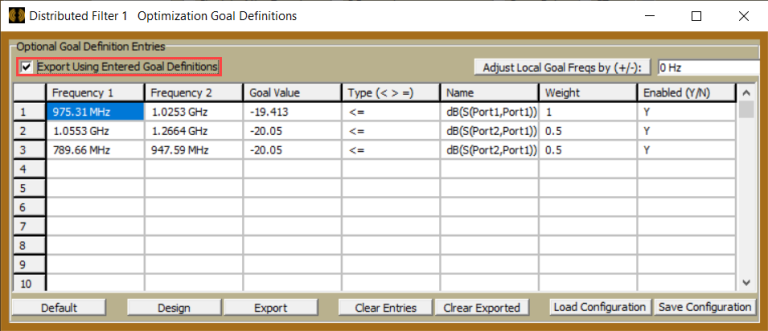
Select Export Using Goal Definitions to use table defined goals in export.
-
-
Set up the Export for Automated Port Tuning with Sonnet
-
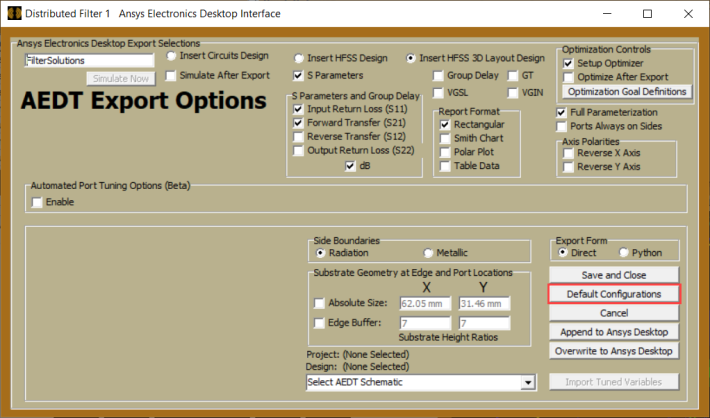
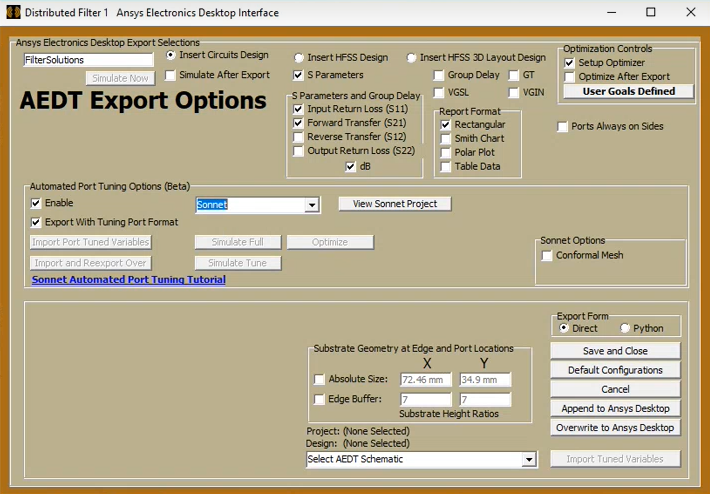
Select Default Configurations in the AEDT Export Panel.
-
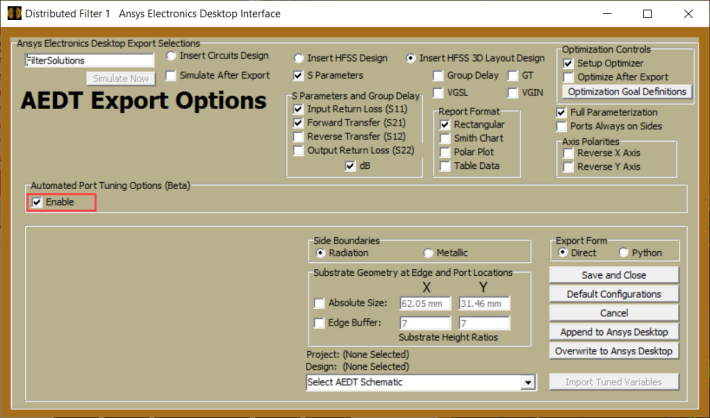
Select Enable in the Automated Port Tuning Options group box.
-
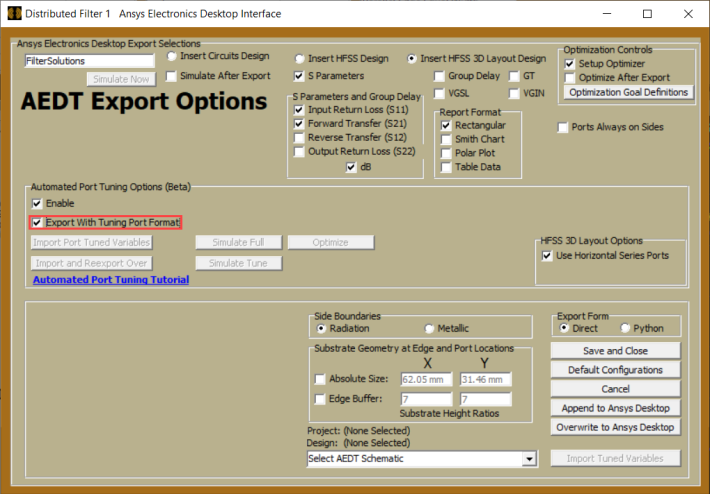
Select Export with Tuning Port Format in the Automated Port Tuning Options group box
-
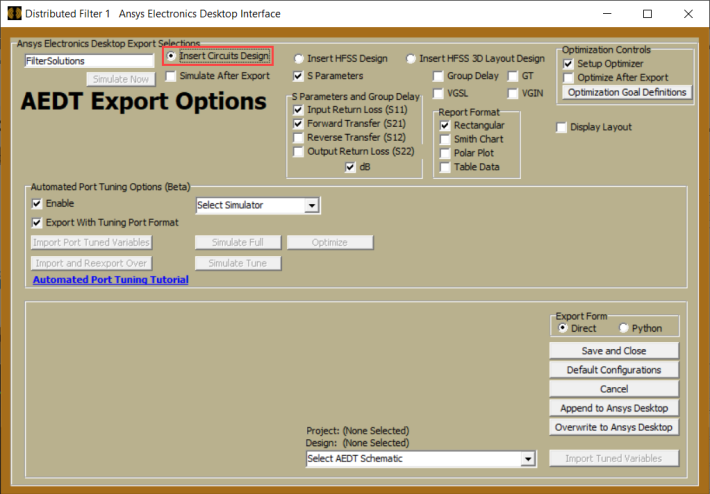
Select Insert Circuits Design
-
Select Sonnet from the Simulator selection drop-down menu.
-
-
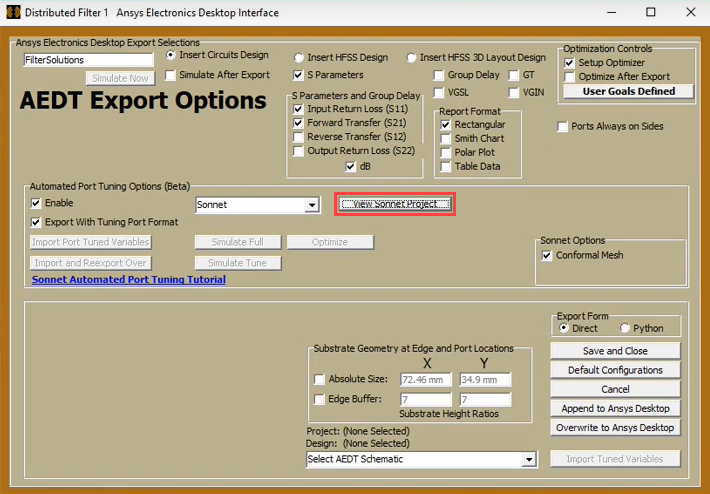
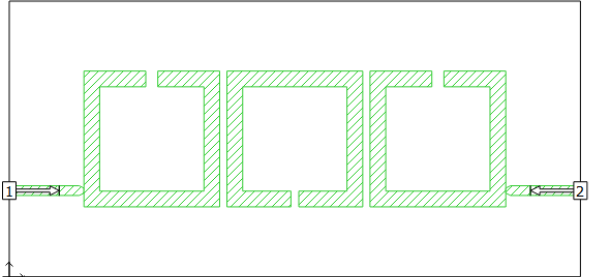
Optional- View the Sonnet Layout to confirm Sonnet is simulating the expected layout.
-
Select View Sonnet Project in the export panel.

-
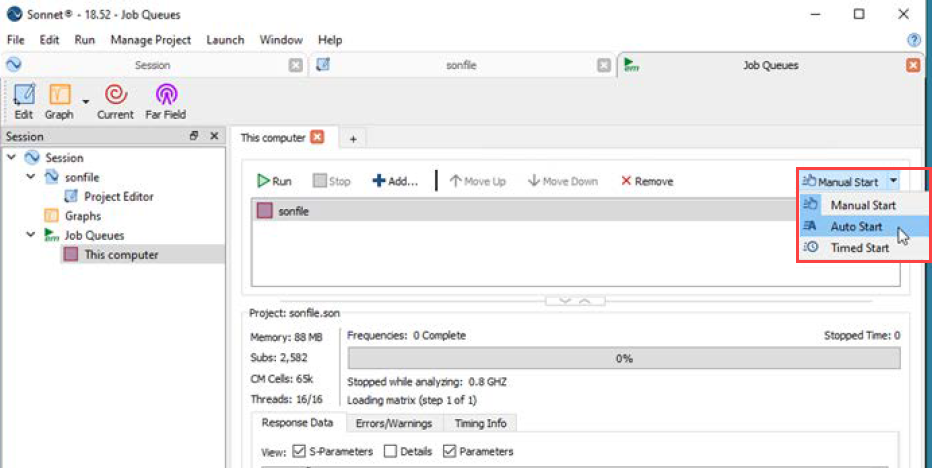
Recommended: In the Sonnet Job Queue, select Auto Start for immediate simulation at export time( step 5).
-
-
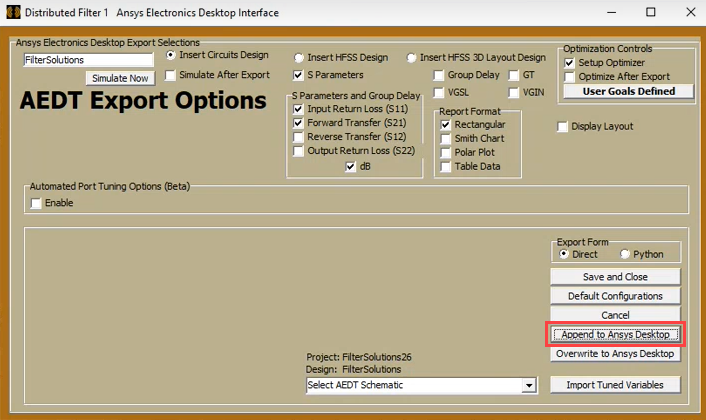
Export to AEDT: Choose Append to Ansys Desktop or Overwrite to Ansys Desktop.
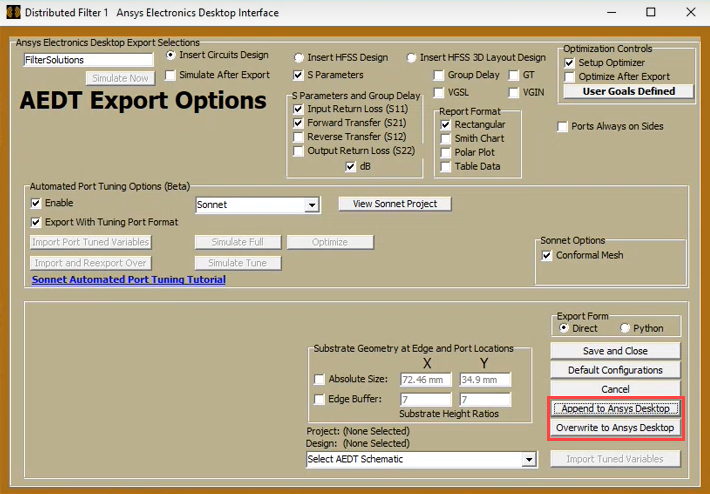
This step will launch AEDT with the ANFS project.
-
Simulate with Sonnet em
-
Simulate options:
-
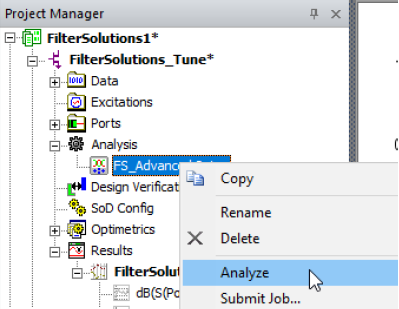
In Circuit's Project Manager panel, right click Analysis and select Analyze.
-
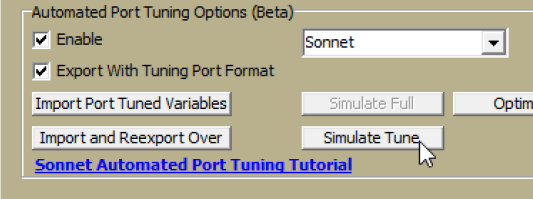
In the FilterSolutions' Export Panel, select Simulate Tune.
-
-
-
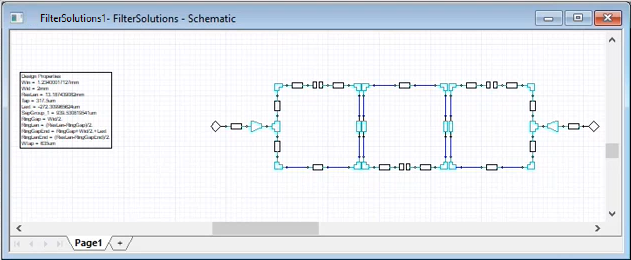
Confirm the Circuits layout simulation. Note the use of an S-Parameter block to house the Sonnet simulation response.

-
Optimize the Tuning Port Design in one of two ways:
-
In Circuit's Project Manager, right click Optimetrics > Analyze > All Optimizations

-
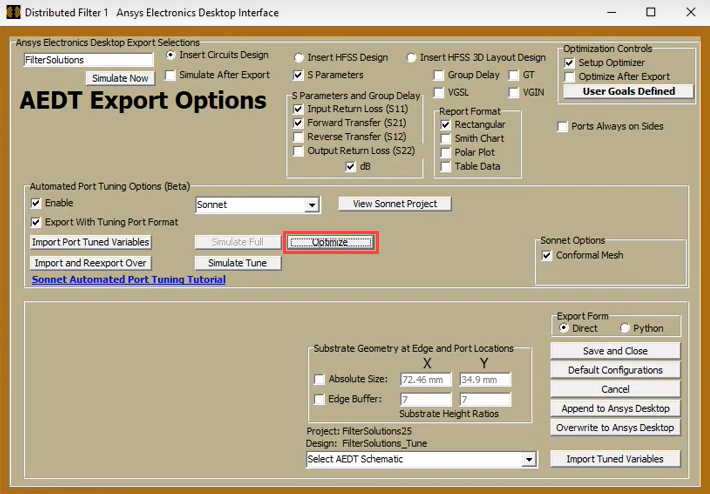
In the ANFS export panel, select Optimize.
-
-
Reconstruct the Optimized Design.
Once the optimization process completes, import and reconstruct the design to ANFS:
-
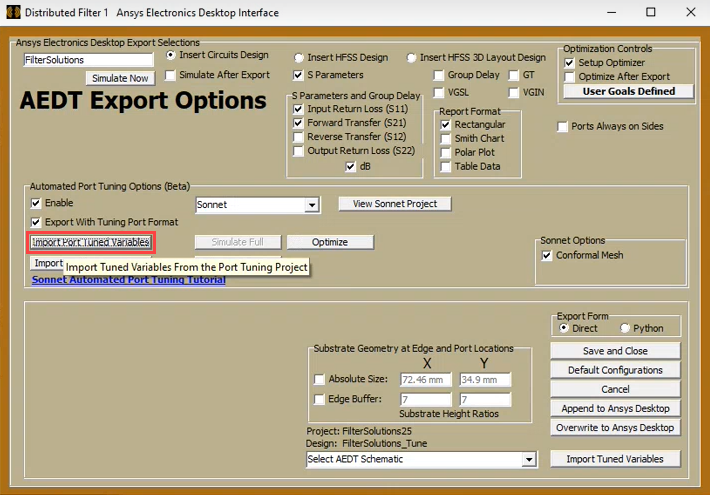
In the ANSF Export Panel, select Import Tuned Variables
-
Optionally, to send the reconstructed design immediately back to AEDT for another port tuning optimization cycle, select Import and Reexport Over.
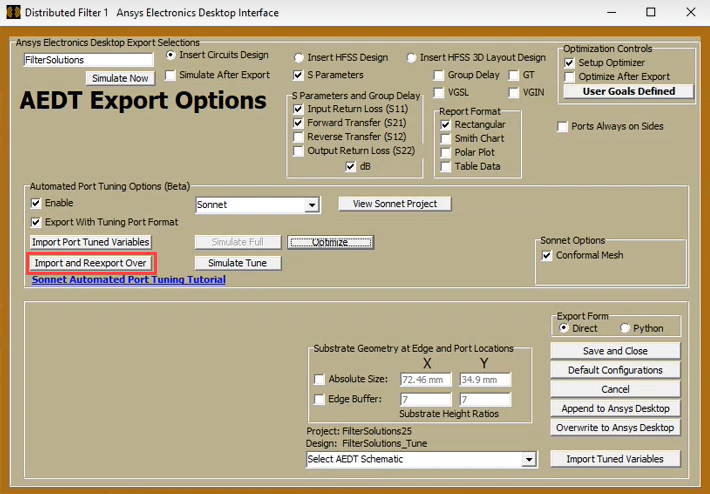
Repeat as necessary.
-
-
Export Preliminary Final Design
Once the design optimization cycles produce a design of sufficient accuracy:
-
Export the preliminary final design with no tuning ports installed and simulate.
-
-
Optional- Perform Direct EM Tuning or Optimizing
If more accuracy is still needed, the Preliminary Final Design may be further tuned or optimized directly with Sonnet tuners and optimizers.
-
In the ANFS Export Panel, Disable Export with Tuning Port Format and select View Sonnet Project to optimize directly with Sonnet.
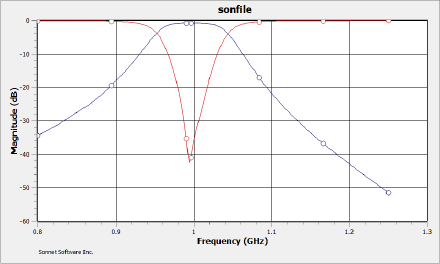
The final design is observed to center on 1 GHz.
-