
SPISim VPro Measurements
Measurements
From the main ribbon, select Measure to view the available calculations.
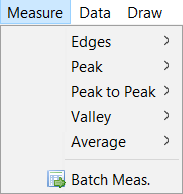
Edges
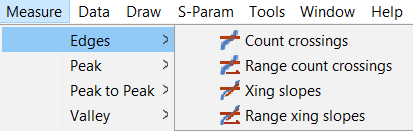
-
Count Crossings- detect selected rise or fall (or both) crossings.
-
Range count crossings- detect rise or fall crossings in a selected range.
-
Xing slopes- calculate rise or fall slopes at crossings.
-
Range xing slopes- calculate crossing slops in selected range.
Peak
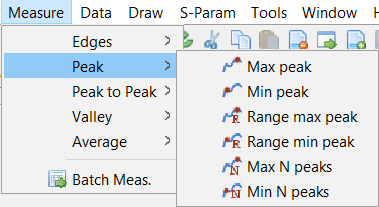
-
Max peak- identify the maximum peak.
-
Min peak- identify the minimum peak.
-
Range max peak- identify the maximum peak within a given range.
-
Range min peak- identify the minimum peak within a given range.
-
Max N peaks- identify N number of maximum peaks.
-
Min N peaks- identify N number of minimum peaks.
Peak to Peak
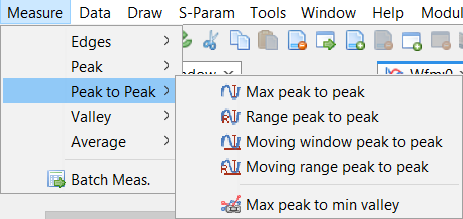
-
Max peak to peak - mark peak to peak value.
-
Range peak to peak - mark peak to peak in a selected range.
-
Moving window peak to peak - report sliding window based peak to peak.
-
Moving rage peak to peak - select range to do sliding window peak to peak.
-
Max peak to min valley - peak to peak based with slope consideration.
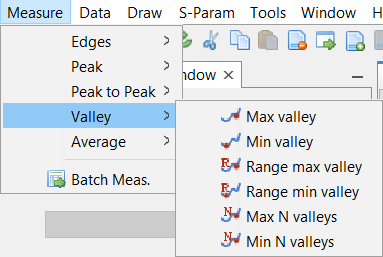
Valley
-
Max valley - identify max valley.
-
Min valley - identify min valley.
-
Range max valley - identify max valley within a selected range.
-
Range min valley - identify min valley within a selected range.
-
Max N valleys - identify N number of max valleys.
-
Min N valleys - identify N number of min valleys.
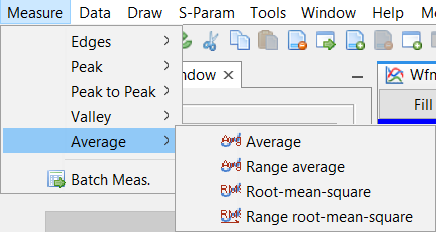
Average
-
Average - report average value of selected traces.
-
Range average - report average value in selected range.
-
Root-mean-square - report RMS value of selected traces.
-
Range root-mean-square - report RMS value of traces in a selected range.
Batch Measure
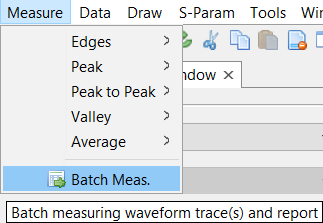
Launches the Batch Measurement and Report window. Provides batch measurements for waveform traces and reports as a csv file.
This function works in two modes:
-
Measure all traces within one waveform file, or
-
Measure common probes across different waveform file.
Add one or more measurements at specified time point/ranges with "," as the delimiter.
Select cells and apply with same value using the Set Cells button.
Remove unwanted measurements using "-" button.
Settings may be exported for later use.