
Net Classifications
The following shows how to configure net classification for DDR4. 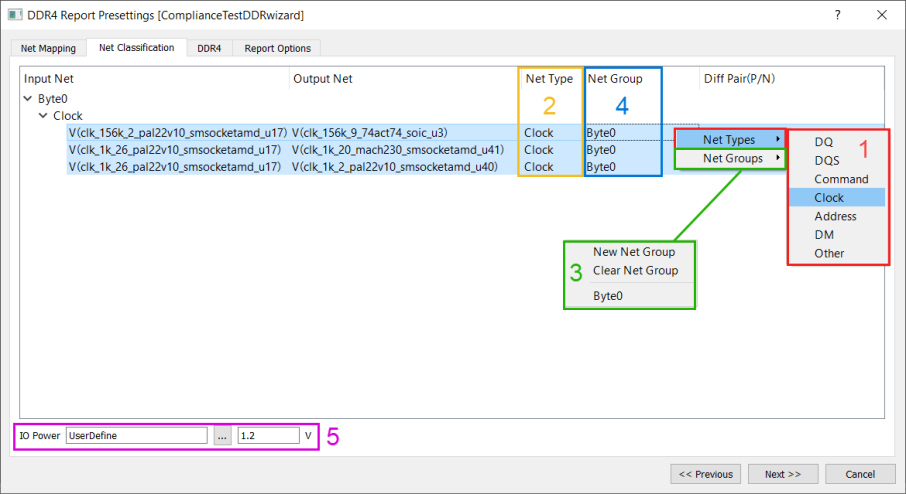
- Right-click the highlight nets to define Net Type for the chosen nets.
- All the net type defined nets shows their net type in the list, otherwise keep it as Others.
- Create new net groups or assign nets to a existing group.
- Net Group column shows all the net group belongings.
- Define the IO power value, using for logic level calculation and other parameters.
The following shows how to configure net classification for GDDR5. 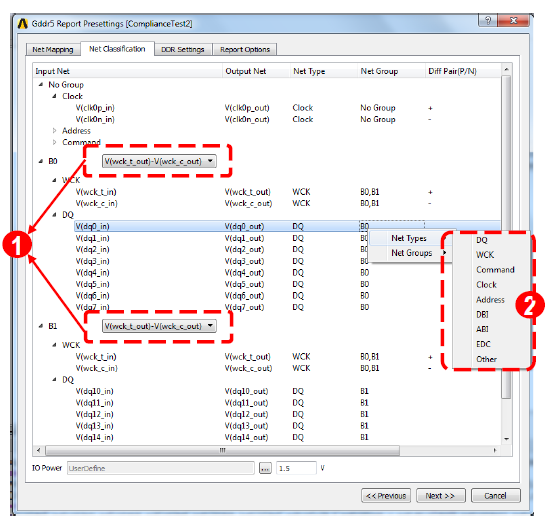
- Support same strobe pair using in different Byte-lane group (GDDR5 feature).
- More GDDR5 net types are supported.