
Multiple Component Containers
A multiple component container is a schematic object that can reference any number of sources, and allows easy reconfiguration of circuit sources and analyses.
To place a multiple component container, select the single-ended or differential version on the Independent Sources list:
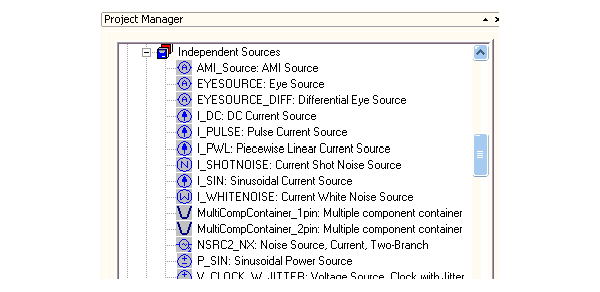
Place the multiple component container on the node where the sources are to be applied.
Right-click the container and select Edit Source to open the Configure Sources window, open to the Multi Component Container tab:
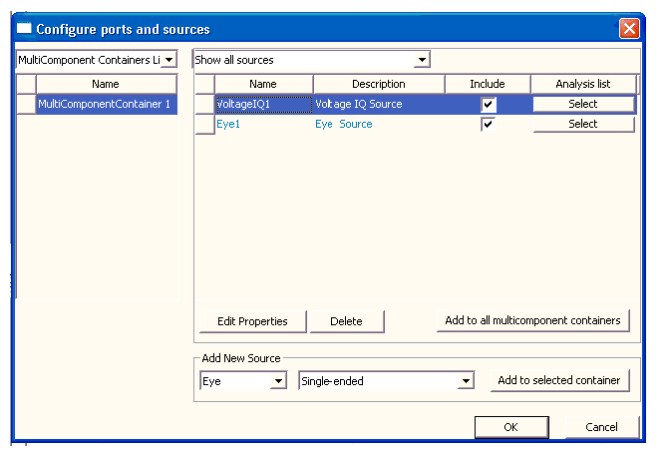
Use the Add New Source group box to add Power, Current, Voltage, and Eye Sources to the list. As each source is defined, associate it with an available Analysis setup. The picture above shows two sources attached to one container. The two sources can both be included when they apply to different analyses.
You can change the configuration of sources and analyses using this window. As long as the change does not affect a particular analysis, changing the configuration does not invalidate the results of that analysis.