
Adaptive CTLE IBIS-AMI Model
Background

An ideal equalized channel for signal path from input of TXEQ to output of RXEQ is an all pass filter, represented by line 1, in the graph below. In an all pass filter, signals of all frequencies have the same gain, equal to 1, i.e. 0dB, so no signal distortions exist. When signals of different frequencies travel at different speeds and losses down a channel, loss or dispersion will occur resulting in distorted signal bits. This distortion is a common behavior of a channel, represented by the components in the blue box of the flow diagram above, and marked as line 2 in the graph below. To accommodate for this, linear equalizers TXEQ and RXEQ are introduced, with behaviors represented by line 3, below. The goal is that adding behaviors 2 and 3 will results in an overall channel performance similar to line 1, an equalized channel.
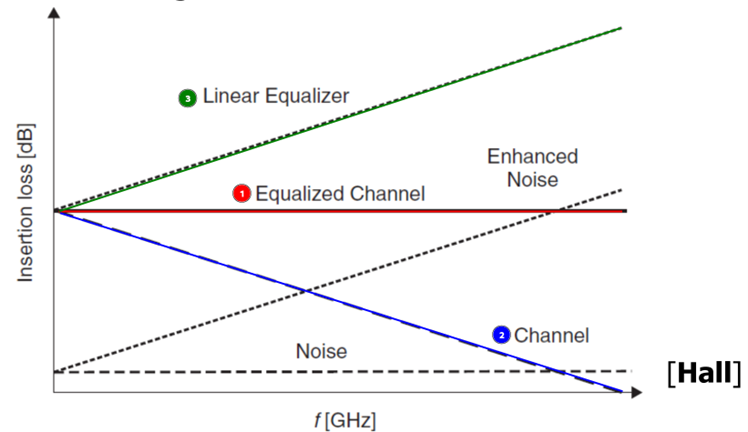
REFERENCE: Palermo, Sam. RX Equalization Noise Enhancement. 2023. Digital, ECEN720: High-Speed Links Circuits and Systems Spring 2023. https://people.engr.tamu.edu/spalermo/ecen689/lecture8_ee720_rx_adaptive_eq.pdf
The linear behavior of line 3, above, is an ideal case. In reality, the behavior of CTLE (RXEQ) is better represented by one of the curves below. It's common that a CTLE has many curves to chose from and the user must find a matching one for a given channel so that the overall performance is acceptable.
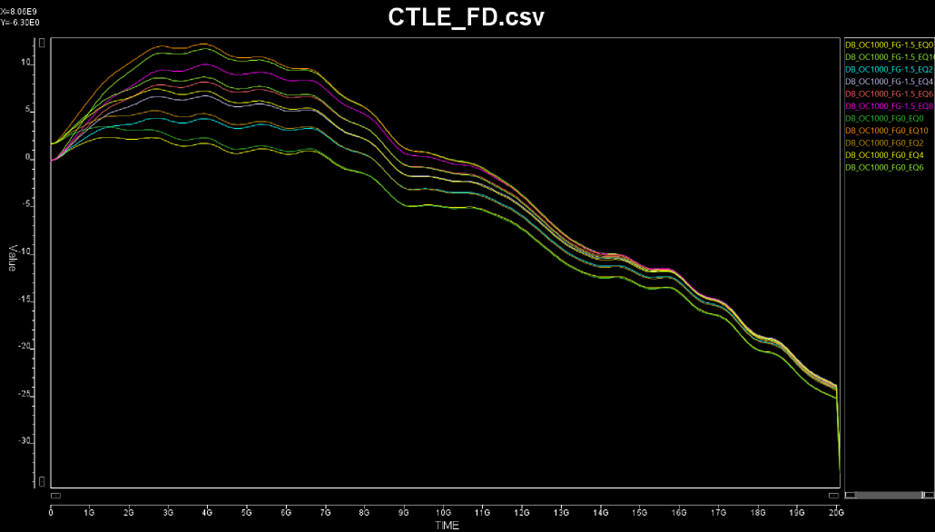
The adaptive CTLE IBIS-AMI feature provides a “self-adapting” capability in the CTLE model to find a good curve among those available to produce good analysis results
Steps
-
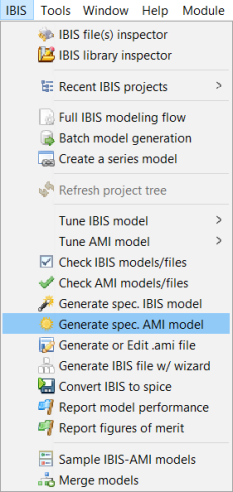
Launch SPISim, choose IBIS from the top ribbon and select Generate spec. AMI Model.
-
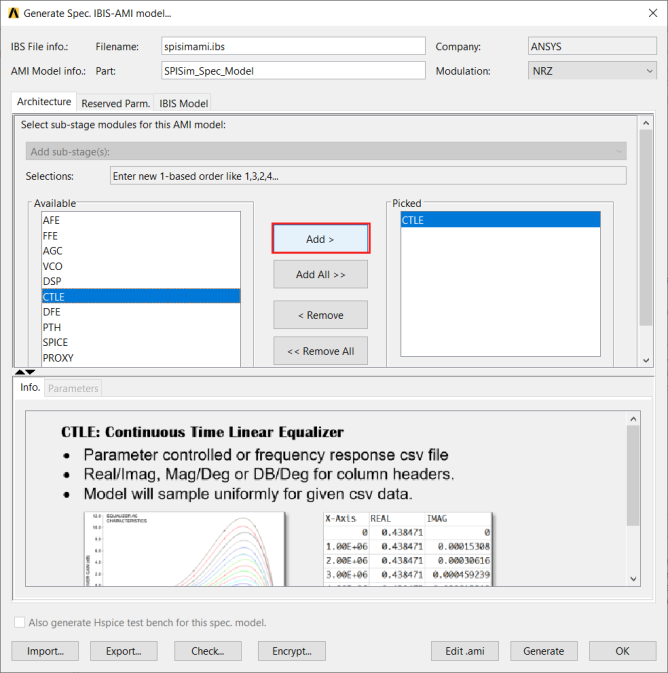
Select CTLE from the Available group box and click Add.
-
From the CTLE data drop down menu, select CSVFILE and use the Browse button to choose your CSV file.
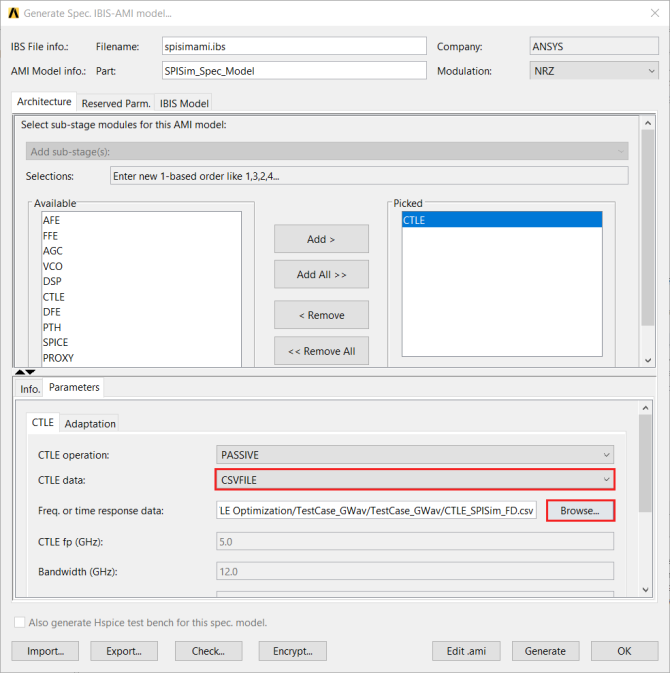
The Adaptation tab will be enabled.
-
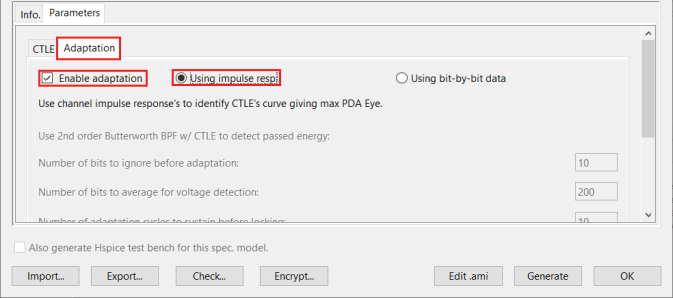
In the Adaptation tab, check Enable Adaptation to choose between Using impulse response or Using bit-by-bit data.
-
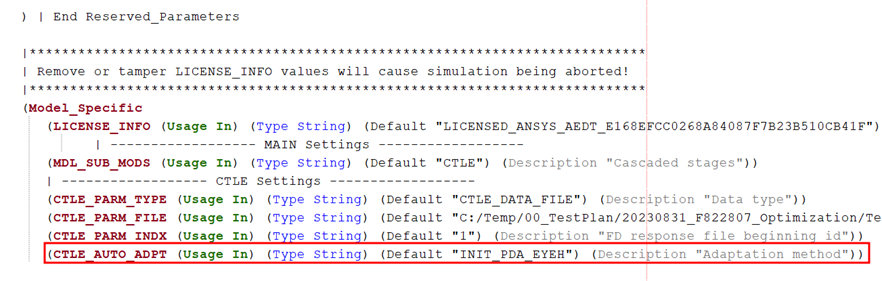
Using Impulse Response: During AmiInit (e.g. Nexxim’s VerifEye analysis and AMI analysis), impulse response is input to the model. PDA based approach will be used to calculate eye height. CTLE curve resulting maximum PDA eye-height will be selected for subsequent analysis. All curves will be “scanned” in this approach.
The generated model's .ami file will contain the new corresponding AMI parameter:
-
Using bit-by-bit data: During getWave (e.g. Nexxim’s AMI analysis), bit-by-bit waveform input will be used for the model. Moving average after band pass filter (BPF) and various CTLE curves will be calculated to find best one giving passing energy around the targeted value.
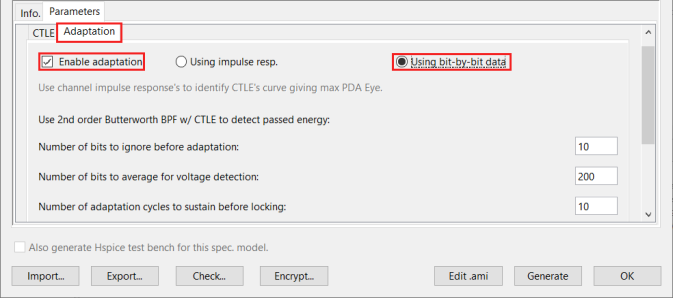
The specified values will also be reflected in the new AMI parameters.
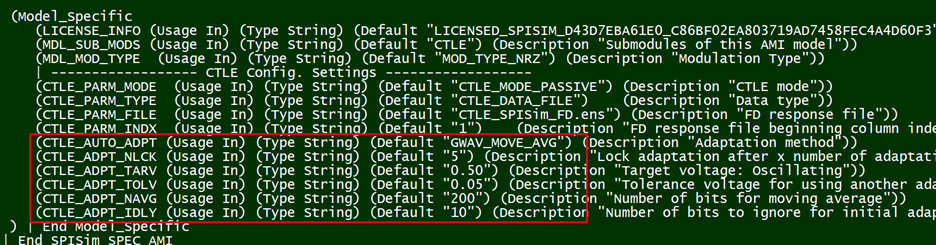
Using Bit-by-Bit Data Parameter Descriptions
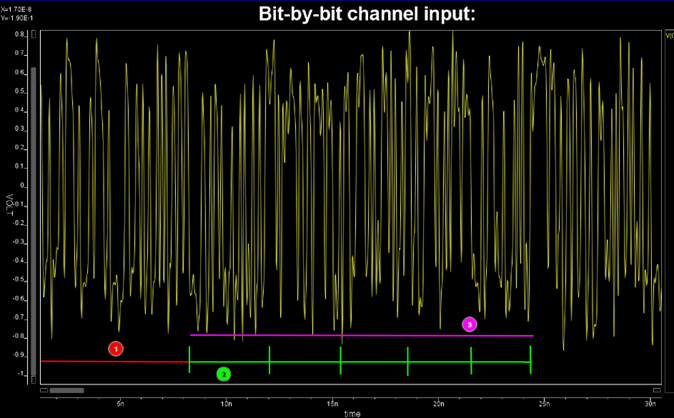
Let the yellow curve above be the bit-by-bit waveform simulator provided for RX AMI models using GetWave simulation. Simulator will provide sampling interval dt and bit time UI to the model. Thus, the number of samples there are in one bit: nSampBit = UI / dt.
-
Number of bits to ignored: Marked as 1, red above, this value times nSampBit will be ignored from input data. Data provided for the model to adapt will start from the ones above green lines.
-
Number of bits to average: each average take one chunk of data marked as 2, green, above. At the end of the “chunk”, judgement will be made to see whether a better CTLE curves should be chosen before moving to next “chunk”.
-
Number of sustaining cycles: If the selected curve produces average energy within V+-dV, then this curve will be reused for the next “chunk” of data. It needs to stay within range for this number of cycles/chunks to be declared “locked” and selected, marked as 3, magenta, above
-
Target voltage: V mentioned in (iii).
-
Tolerance: dV mentioned in (iii).
Note: In this BPF/Energy based adapting algorithm, not all curves will be scanned. This is the algorithm used:
1. Based on the UI, a second-order Butterworth BPF will be generated: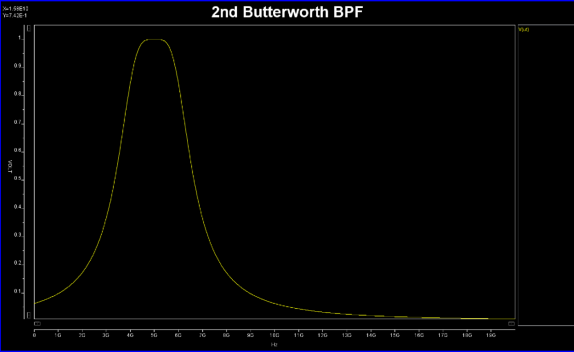
2. A single bit passing this BPF will be used as input data. Each curve will be convolved with this input to calculate output energy. The curves are sorted by final value (boost level) from low to high. As only a single bit is used here, this process is very quick.
3. During actual AMI analysis where many bits are provided, CTLE curve of lowest boost level is first used. If the resulting passed average energy is not within the V +- dV range, the selection will move up and down (using next chunk of data) until either adaptation is successful or failed.
4. For the adaptation process to proceed, the input data needs to be least this long: nSampBit * (num_bit_ignored + num_bits_to_average * num_sustain_cycle). The three variables used in the parentheses are parameters defined in (i-iii) mentioned above.
5. All the processes are “non-blocking”. That is, even if the adaptation failed, the model will still use the last best value to continue the AMI analysis. User can see model’s output messages for adaptation details. -
-
-
Select Generate. The model will be generated.