
Importing ANFV2 Design Data
Complete these steps to open and import an ANFVS2-based project.
- From File, select Import > ANF to open an explorer window.
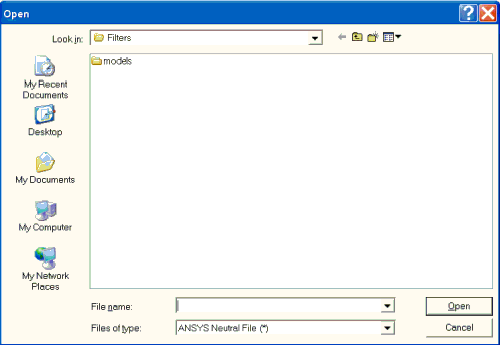
- click the Look in field to locate the directory containing the file with the project you want to open. Click the Files of type field to display the files with the ANF format.
- Click ANF format file in the window to select it, or type its name into the File name field. If you select to open an ANFV2 file, a window appears that allows you to select the nets to import , then generate ports on. You can also select an associated .cmp file to import with it.
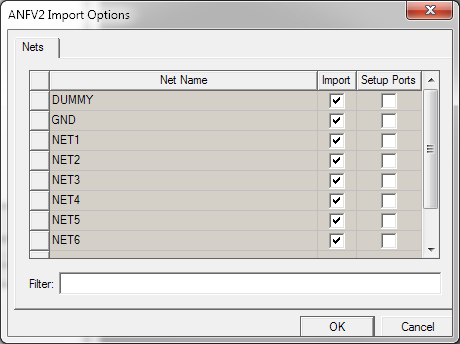
- When you click OK in the ANFV2 Import Options window, the file is imported.
Only nets with a check in the Import column are imported. Pins that belong to nets with a check in the SetupPorts column become ports when imported. The Filter control can be used to select which nets are shown in the window.