Signing In to Ansys Gateway powered by AWS
You can sign in to Ansys Gateway powered by AWS on any web-enabled laptop or desktop provided that you meet the user and web access requirements described in the previous section, What Do I Need?.
-
Open a web browser, then go to https://gateway.ansys.com.
Note: Internet Explorer is not supported. When prompted, enter the email address associated with your Ansys ID.
If you do not have an Ansys ID, or you are not sure, simply enter your business email address and click Continue.
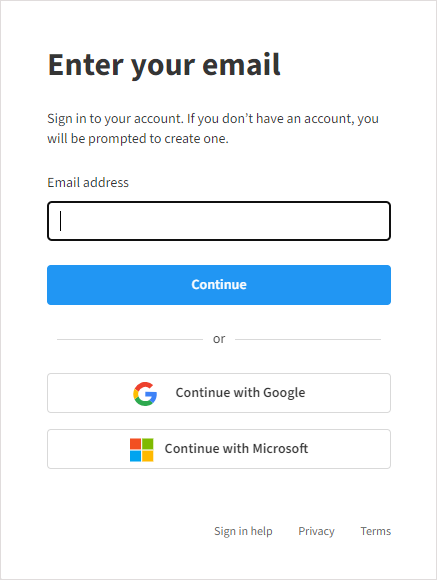
If you have an Ansys ID and have not previously signed in using Ansys ID, you are prompted to enter your Ansys ID password.
If you signed in previously using Ansys ID you will instead be immediately signed in (unless you have cleared passwords from your browser cache).
If you do not have an Ansys ID, you are prompted to sign up for an Ansys account.
For more information about Ansys ID, click Sign in help in the dialog or go to https://webapps.ansys.com/era/ssosupport/index.
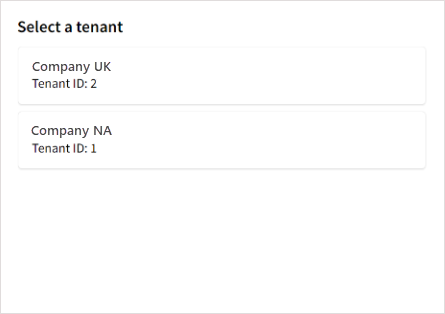
If your Ansys ID is associated with more than one AWS tenant, select the tenant into which you want to sign in. For example, your company may have a tenant for North America and another for the United Kingdom:
 Note:
Note:If at any time you wish to switch to a different tenant, you must sign out and then sign in again (and select the desired tenant upon sign-in).
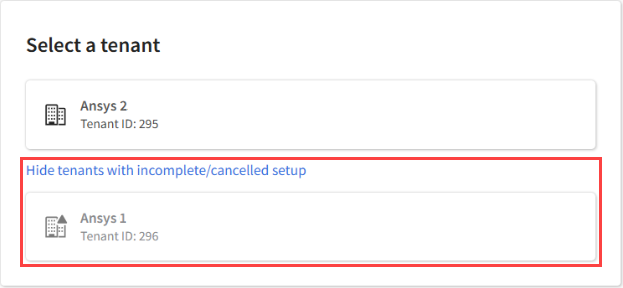
If an administrator started setting up Ansys Gateway powered by AWS but the setup process was not completed (for example, they cancelled it after starting it), the tenant with incomplete/cancelled setup is displayed in the tenant selector for informational purposes but cannot be used to access Ansys Gateway powered by AWS. You can hide such tenants from view if desired.