


For this release, various improvements were added to make working in FMEA worksheets smoother and more efficient.
Create SysML Elements Directly in Worksheets | The ability to add certain SysML elements to a worksheet has been simplified. You can now add the elements Element, Characteristic,Port, and Function directly in component entry cells without first navigating the Model Browser. 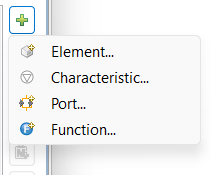 |
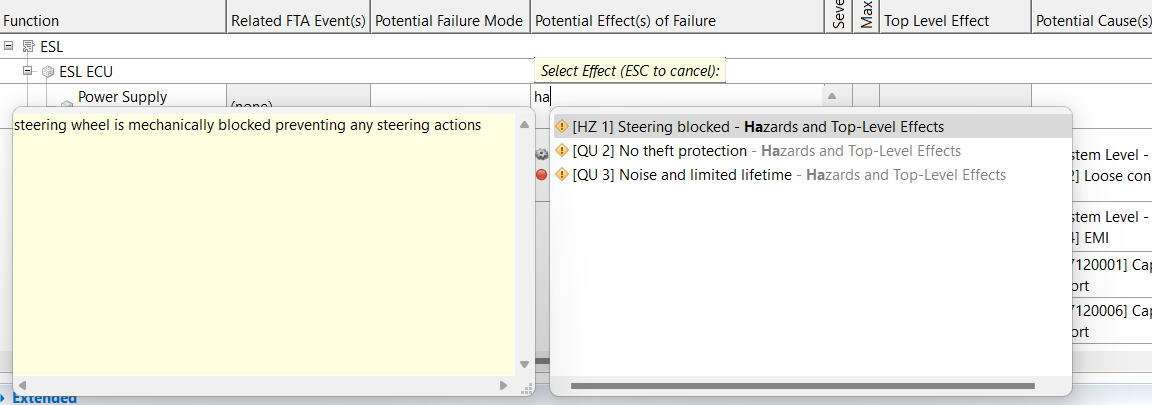
Assign Failure Causes, Effects, and Measures Directly in a Cell | Simply start typing in a cell to add causes and effects to a worksheet. As you type, a list of available matching causes, effects, and measures is shown. Select from the list to add to your cell. After adding an entry, you can keep typing to add more entries.
|
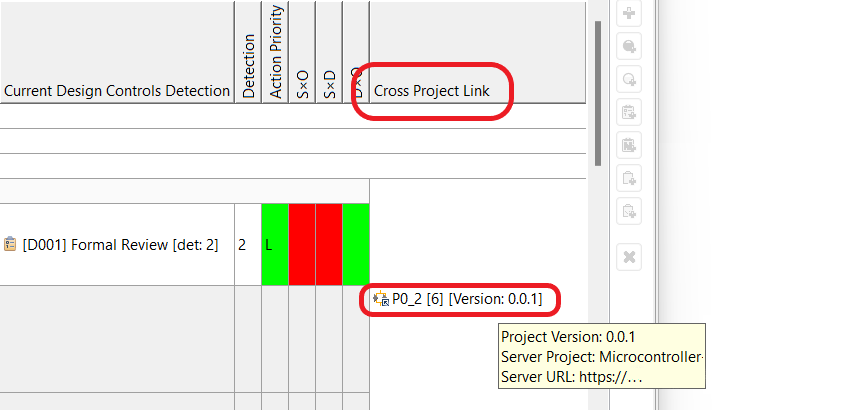
Cross-Project Linking | Link from a component entry in an FMEA worksheet to any model element located in a shared project or version of a shared project. The worksheet can be in the same shared project as the element, or in another shared or local project, or even in an offline project. Double-click the Cross Project Link cell to navigate to the linked element in the original shared project and project version. Hover over the cell to get information about the project that the element is located in.
|
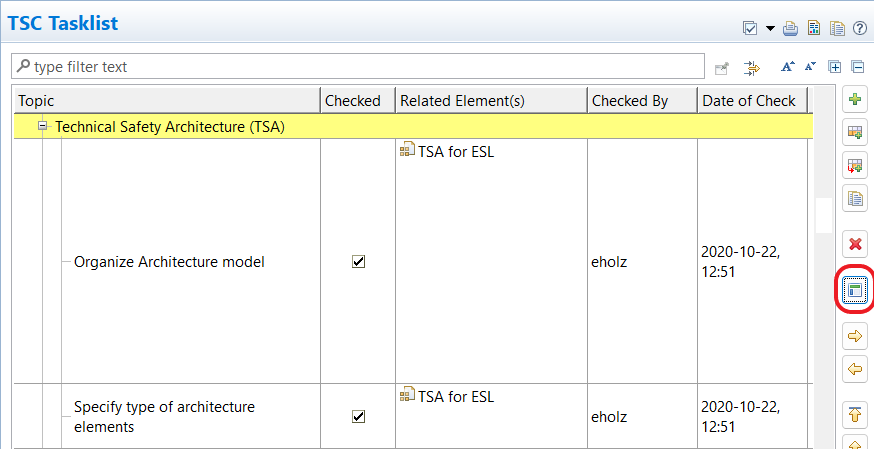
Use Headlines to Organize Checklist Columns | Click a button to convert any row in a checklist to a headline, for better organizing of checklists. When you don't need the headline anymore, you can easily toggle it back to a checklist item.
|
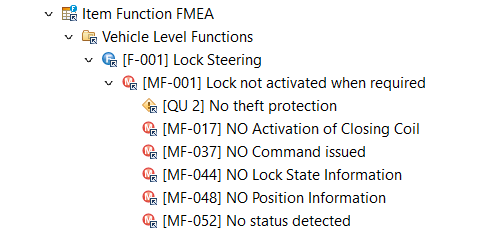
Improved Icons for FMEA Entries | FMEA entries in the Model Browser are now shown with an icon of the underlying model element instead of a generic icon.
|