


| Improved Context Selection | Modeling of causes and effects has been made easier for FMEA, SWA, and DC worksheets. The Select... dialogs for causes, effects, detection measures, and prevention measures now remember the last state of what elements were expanded and collapsed, per worksheet and per column, until the project or tool is closed. When opening a dialog for the first time, all SysML models and failure collections are shown, with models and collections collapsed. In addition, the Select... dialogs now show empty collections by default. You can edit these from within the dialog. 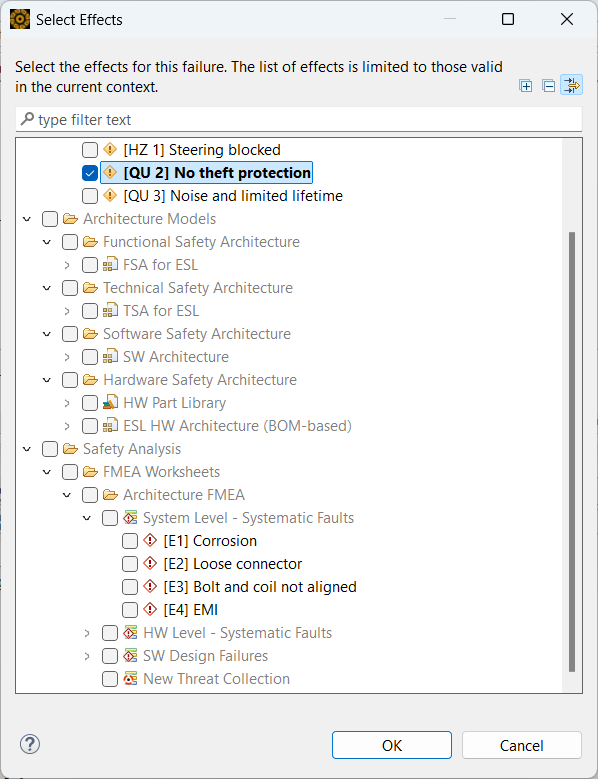 |
Handling of Large Failure Nets | We have added tools to the cause/effect net editor to make navigation of large
nets easier. Use the new tools to:
The cause/effect editor remembers the state of the maximum distance as well as the expand and collapse states. 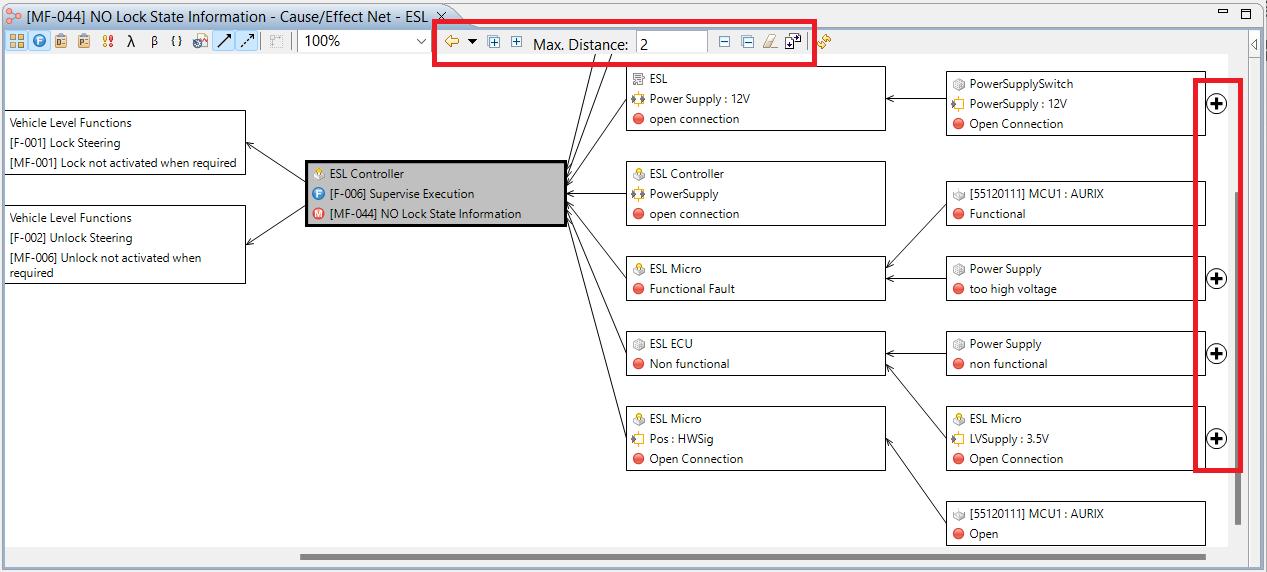 |
Support for Measures without Causes | In FMEA and SWA worksheets, you can now assign measures to potential failures/potential weaknesses without first creating a cause/effect net. Simply enable the feature in the cover page, then in the worksheet create placeholder causes and assign measures to them. After a measure has been assigned, you can use that failure as a cause; the cause includes the same measures as in the original failure. |