


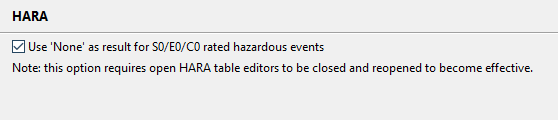
| ASIL None Option | A new option for the HARA is available that enhances the risk graph of ISO 26262. When the option is enabled, any value of C0, E0, or S0 will lead to the new literal "None" for the ASIL. This can be useful to distinguish hazardous events with rare exposure, no injuries, or fully controllable situations from hazardous ones rated as QM.
|
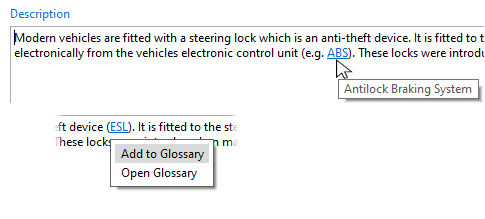
| Glossary | Each project features now its own glossary that allows you to define and use acronyms consistently. All text fields in form editors recognize acronyms and let you add them to the glossary. Once a term is added, the tooltip will show the definition while hovering over it. You can access the glossary via the Glossary view.
|
| Failure mode IDs | Failure modes have received their own identifier and auto-counter. Once you have migrated to 2023 R1, every new failure mode will receive a generated ID automatically. Note that if you do not want identifiers for failure modes, you can simply set the auto-counter pattern in project settings to an empty string and you will have the same behavior as before. |
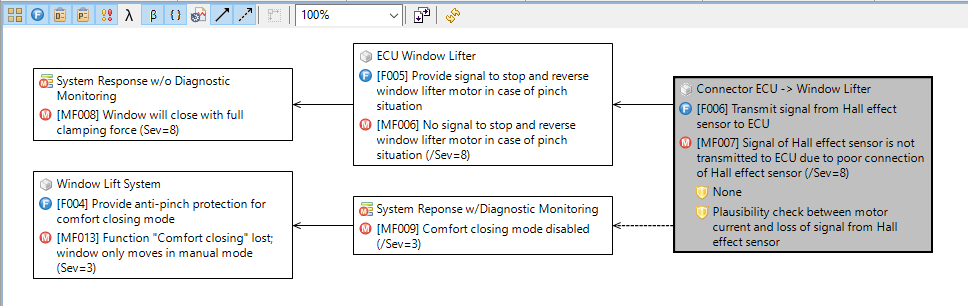
| Mitigated Effect Visualization | The mitigated effect relation of the MSR FMEA introduced in 2022 R2 is now also visually recognizable in the failure net editor. The mitigated effect relation will be shown using a dashed line and can be filtered separately for maximum effectiveness of your cause-effect analysis.
|