


| Rhapsody Import filter | The import from Rhapsody has been improved by introducing a new wizard-driven user interface and by adding several new options with respect to the import scope and content. Empty packages as well as referenced packages can be completely excluded from the import. Note that "empty" may mean that there is content in Rhapsody, but none of the artifacts are imported by medini, hence the package is treated "empty". There is another new option to individually select the packages that shall be imported. The selection is persisted and used during subsequent update imports. 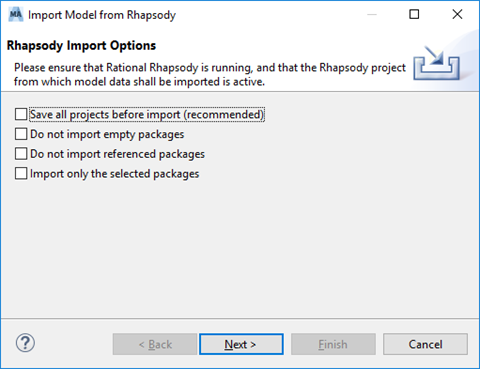 |
| Import of Allocations from Rhapsody | Allocation dependencies in Rhapsody system models are now always imported as "Allocations" in medini if both elements (source and target) are imported as well. 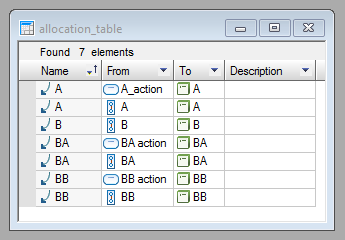 |
| Direct MPRX file support | There is a new CLI command ("open") to open one or more MPRX project files. All opened MPRX files are locked and cannot be written, changed or removed while medini is open. The files can be opened in the workspace of choice, i.e. the workspace chosen by the user or by using a default one, like for the "compare" command. Changes are saved back to the MPRX whenever the user chooses to save in medini analyze, and the corresponding workspace projects are removed from the workspace when closing the tool. 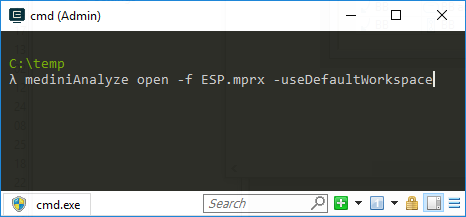 |