


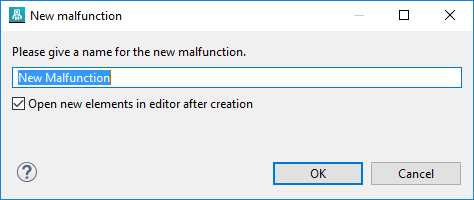
| Open New Elements | There is a new option to configure, whether newly created elements - that have been created via the context menu in the browser - are opened as a post step or not. The option can be found in the creation dialog and the preferences. This is an opt-out option that is enabled by default (same as the previous behavior).
|
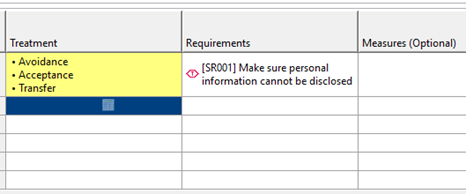
| Pick-List Drag & Drop | The drag&drop support for "pick-list" cells in tables has been generally improved. Pick-lists are custom attributes with predefined values to "pick" from, either multiple or just single one. Values between different cells can now be easily dragged and other cells.
|
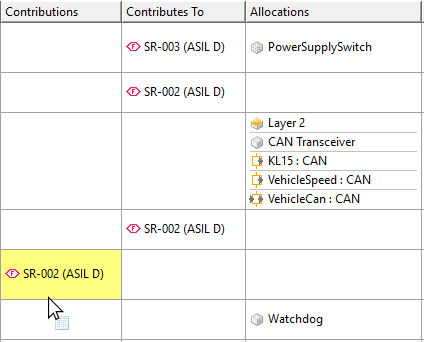
| Requirements Drag & Drop | The requirements list editor has columns for Contribution relationships, but also Allocations. All of them are have drag & drop support, that means Contributions and Allocations can be quickly created within the list editor itself by dragging single or multiple requirements from other cells in the editor. Drag from the ID column is also supported.
|
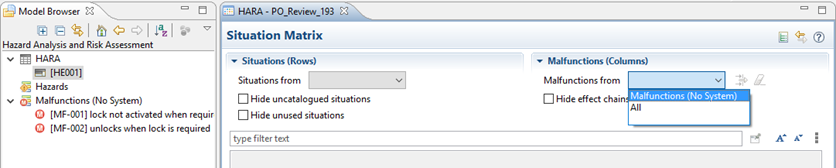
| Situation Matrix | The matrix now also supports malfunction collections - besides system models - as containers for malfunctions, to span columns in the matrix.
|
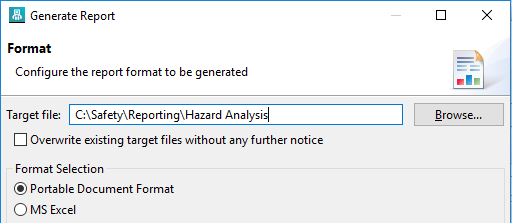
| Reporting | The target of a report generation - typically a PDF or office document - can now be specified directly in an editable text field. Using the file browser is still possible but now optional. Note that a file extension is appended automatically if required. Any intermediate folder is created automatically too, if required.
|
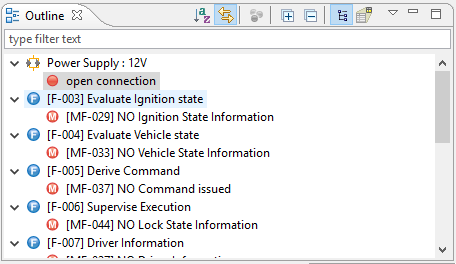
| Outline View | The Outline view shows additional context information for the currently active editor. Having a Failure or Function Net open, the view now not only shows all elements in the net but also their respective containers. That's especially helpful if there are many elements (e.g. failure modes) having the same name.
|
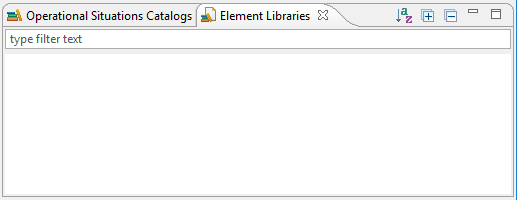
| Libraries/Catalog Views | The views for "Element Libraries" and "Situation Catalogs" have received a set of new tools to collapse/expand all elements and to sort the complete view alphabetically.
|
| Compare Memory Footprint | The required memory footprint, especially for 3-way comparison, was heavily improved. Consequently, the comparison of large projects does not require as much additional memory for creating the diff tree as before. |
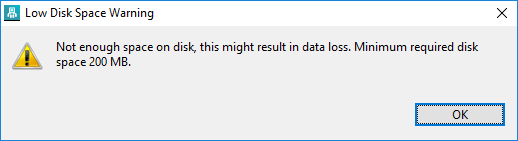
| Low Watermark | There is a "Low Watermark" message on tool startup when any of the projects locations has less than 200 MB disc space left.
|