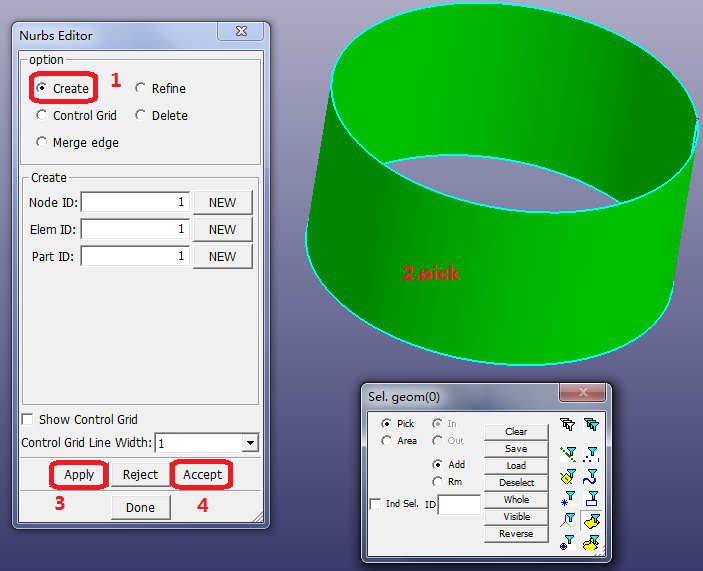
Contents Part II: Mesh Tutorials | Chapter 6: NURBS Element Creation and Refinement for Isogeometric Analysis | Print page 6.1. NURBS Element CreationClick File > Import > IGES File. Open cylinder.iges. Click FEM > Element and Mesh > Nurbs Editing.Select the radio button Create.Pick a geometry (NURBS surface).Click Apply. NURBS element is created.Click Accept to add the NURBS element into database. « Chapter 6: NURBS Element Creation and Refinement for Isogeometric Analysis 6.2. H-Refinement »