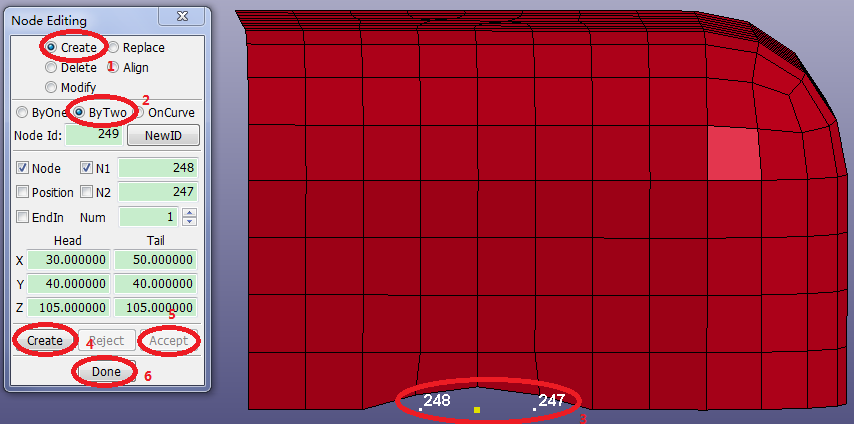
Contents Part II: Mesh Tutorials | Chapter 2: Introduction to Element Editing | Print page 2.3. Create Node Between Existing NodesSelect FEM > Element Tools > Node Editing.Select Create in the Node Editing Interface.Select ByTwo in the lower panel.Click the left-most free node in the graphics window (NID 248).Click the right-most free node (NID 247).Click Create.Click Accept. « 2.2. Show Unreferenced Nodes 2.4. Identify a Group of Nodes by ID »