


Create a Joint Load Properties object for revolute joint motion at Sprocket 1:
Select the Model element in the Project tree.
From the Motion ribbon, select and then Joint Load Properties.
In the Details panel for the new Joint Load Properties object, under Scope, set the Joint to
Revolute_Drive.Under Definition, set Rotational Motion to
Motion Function.Under Definition, set Rotational Motion Type to
Rotational Velocity.In Function Expression, select the
Motionexpression you defined above.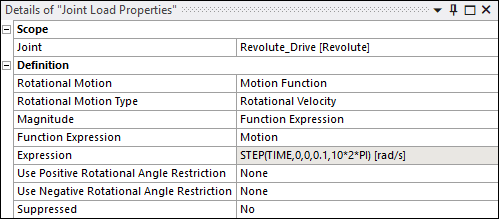
Select the Model element in the Project tree.
From the Motion ribbon, select and then Joint Moment.
In the Details panel for the new Joint Moment object, under Scope, click in the Joints field to open the Joints dialog.
Add a new entry to the table, select the
Revolute_Drivenjoint and click .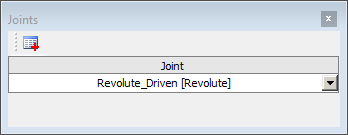
Under Definition, set Moment to
Function Expression.In Function Expression, select the
Torqueexpression you defined above.