


Double-click Model in the Motion schematic to open the Mechanical editor.
Expand the branch for the in the Project tree.
You should see that the model includes objects as shown below.
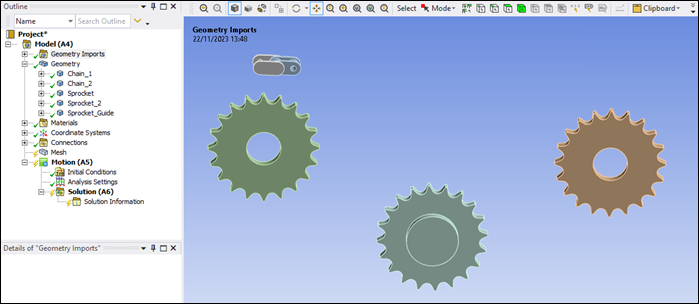
Select the geometry objects in the Project tree in turn and rename (right-click, then ) them as follows:
Old Name New Name SYS\Chain_1 Chain_1SYS\Chain_2 Chain_2Component1\Sprocket SprocketComponent1\Sprocket[2] Sprocket_2SYS\SP_Guide Sprocket_Guide