Double-click Model in the Motion -
Drivetrain schematic to open the Mechanical editor.
Expand the branch for the
in the Project
tree.
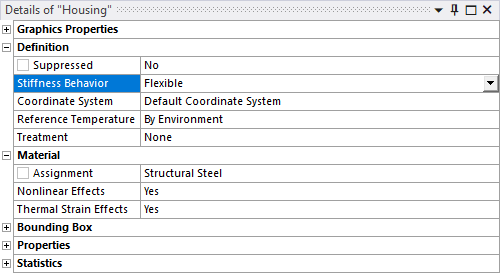
In the Details panel, verify that the
Stiffness Behavior for both the
Housing and Shaft1 geometry
objects is set to .