Create a plane cut to display temperature contours.
Click the Plane cut button (
 ) to open the Plane cut panel.
For Set position, select Z plane through center.
Select Show contours. Temperature is the default contour selection.
Click Create and Done.
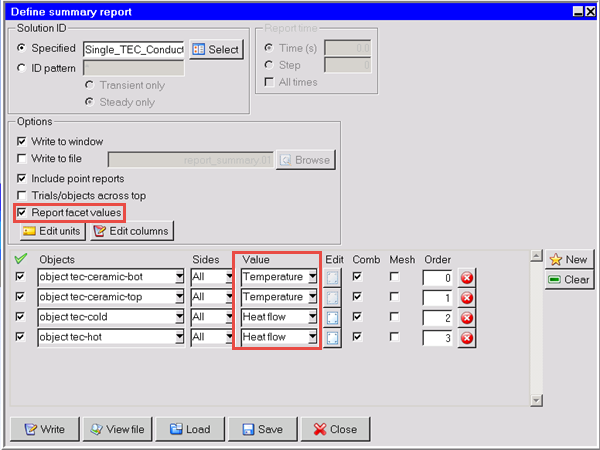
Create a Summary report of the temperatures on the top and bottom ceramic objects along with the heat flow in the cold and hot source objects.
In the Model manager, select tec-ceramic-bot, tec-ceramic-top, tec-cold, and tec-hot, right-click the selection, and select Separate from the Summary report menu. The Define summary report panel is displayed.
Select Report facet values.
Select Temperature as the Value for the ceramic objects and Heat flow as the Value for the source objects.
Click Write to create the summary report.
From the File menu, click Save project.