


Diagnostics
Checks are applied on the fly as editing progresses.
No “check” action is required. Depending on its type, the error or warning is reported in the user interface in different places.
In the Workspace
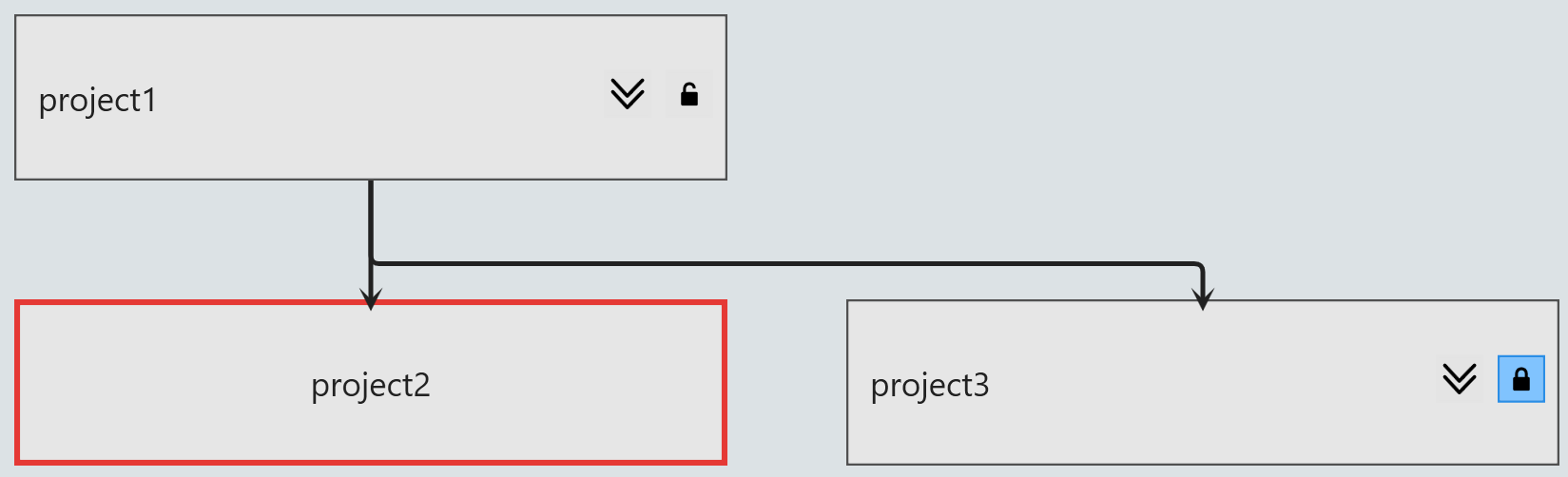
Errors in the Workspace are reported in the following cases:
- circular dependency
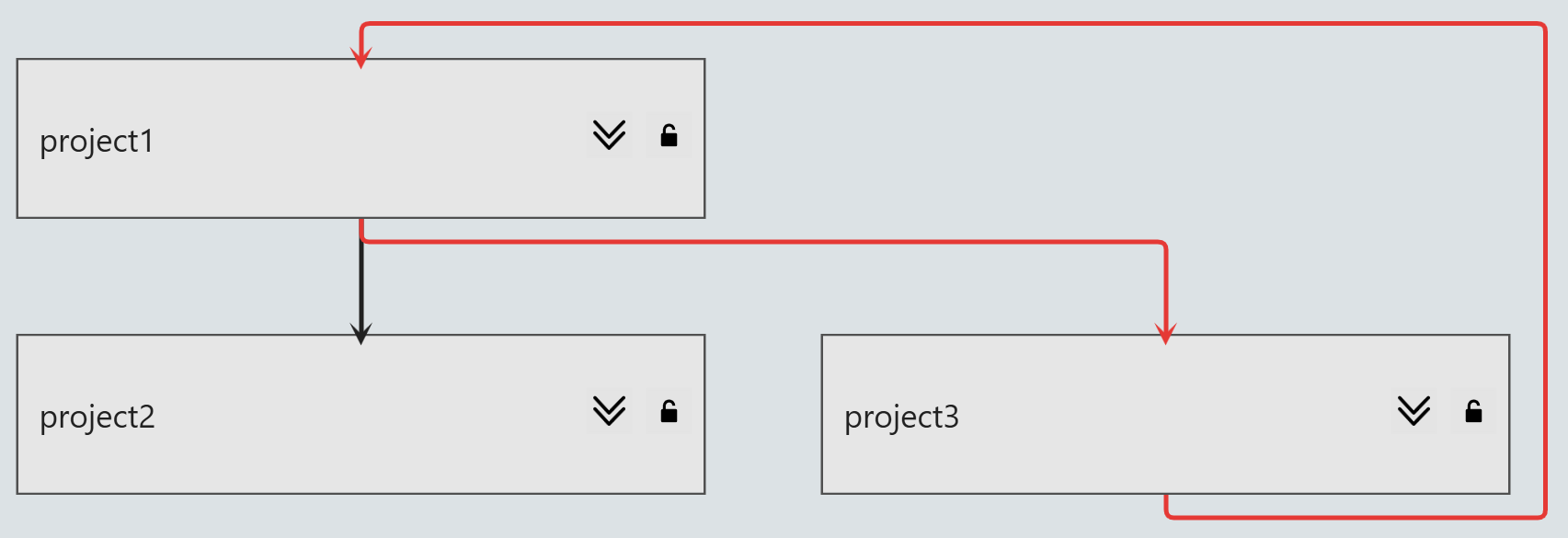
- missing dependency
In the Model Explorer
Errors  and warnings
  are reported
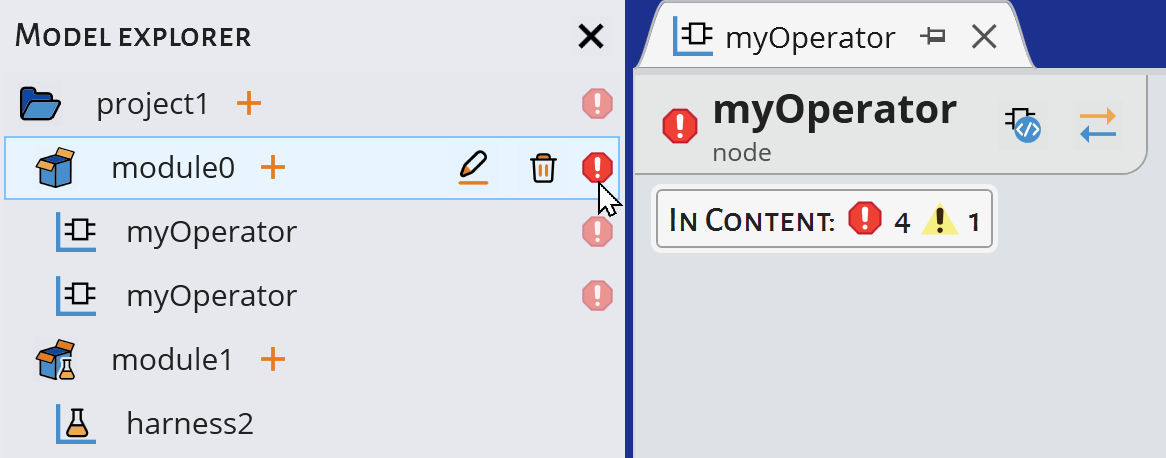
in the Model Explorer in case of syntax and namespace
errors.
are reported
in the Model Explorer in case of syntax and namespace
errors.
and warnings are reported
in the Model Explorer in case of syntax and namespace
errors.- If the error is related to the declaration itself, a tooltip provides the
error message.

- If the error is related to an element within the declaration, a tooltip
gives the number of contained errors and warnings.
In Block Diagrams
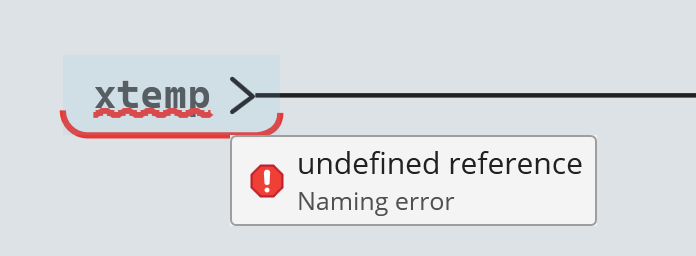
Errors and warnings are reported
in block diagrams in case of causality, syntax, namespace, and overlap
errors:
- with a color outline
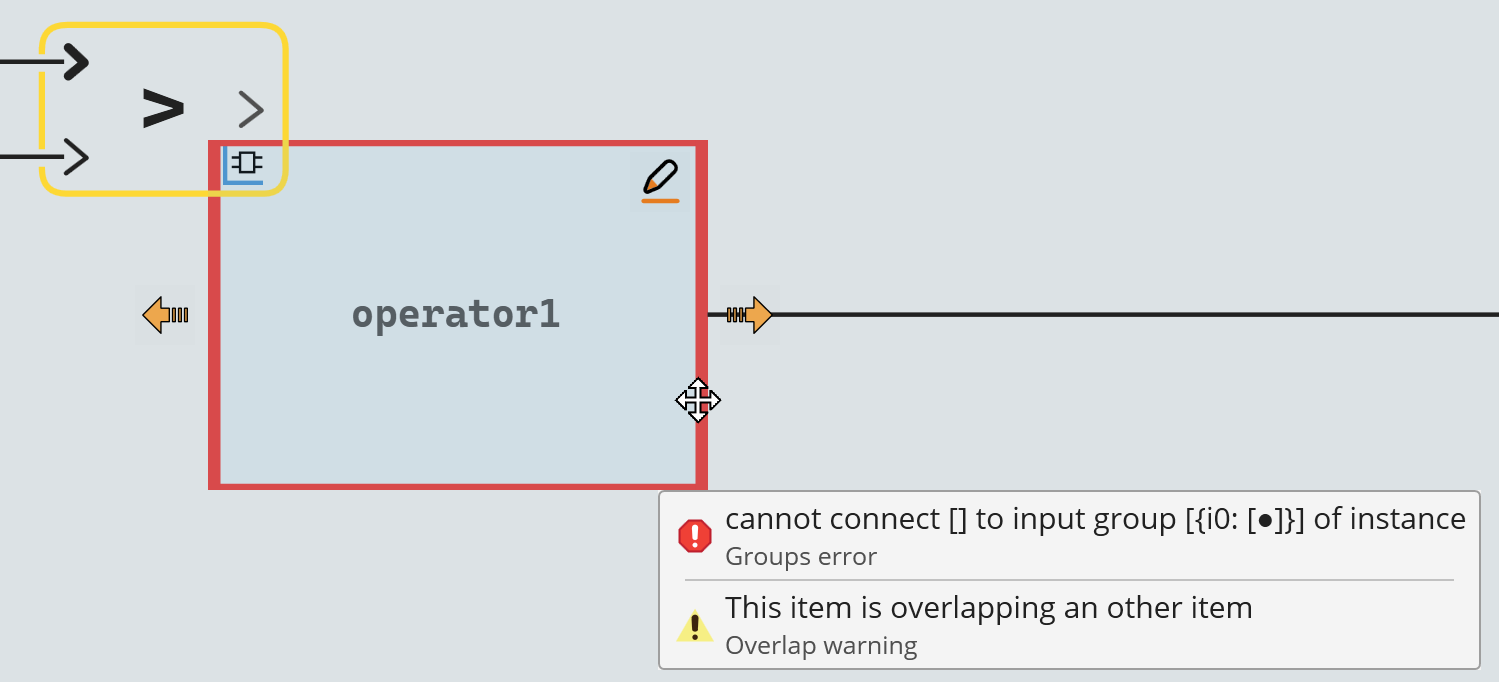
- with a wiggle line
The Diagnostic Summary at the bottom of the block diagram lists all the current errors and warnings:
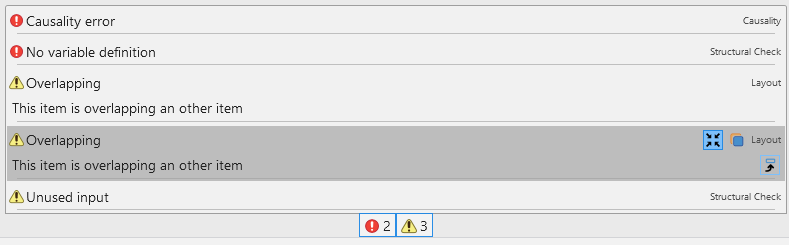
- Click or
to display or hide the corresponding list
- Additional actions are available when hovering a message:
- click
 to show more details about the
error
to show more details about the
error - click
 to locate the related object
(or simply double-click the message)
to locate the related object
(or simply double-click the message) - click
 to copy the message content
- click
In the Text Editor
Errors in the Text Editor are reported in case of syntax and namespace errors.
Errors are reported as follows:
- A wiggle line to locate the error

- Diagnostic summary with list of errors/warnings