


Exercise 4: Find Similar with Limits
Find similar materials to your record, and then filter additonal attributes to identify materials which have the required properties for your design requirements.
-
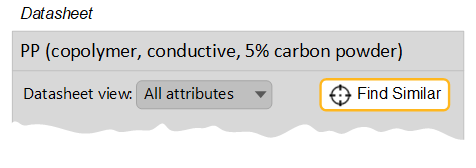
Open the record for Polypropylene (copolymer, conductive, 5% carbon
powder)
-
Compare the current material with the nearest alternative
Select the PP (copolymer, 10% talc) material from the set of nearest matches, and create a Comparison Table by clicking Comparison.
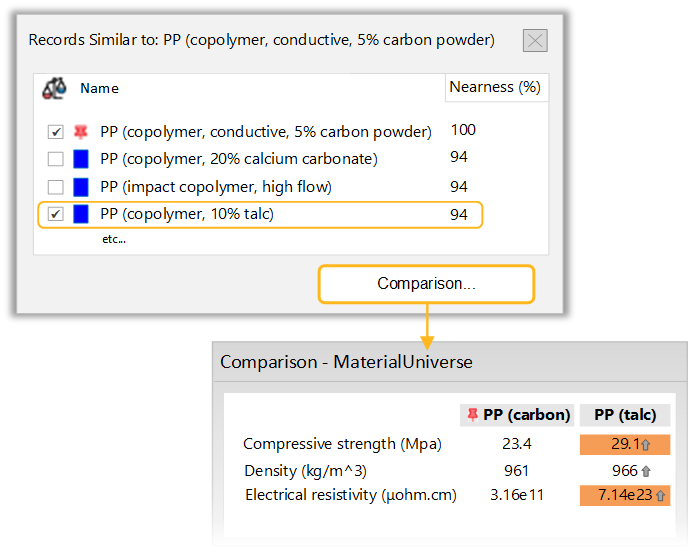
By default, values in the Comparison Table are highlighted where there is a > 10% difference between the original (reference) and alternative materials. The reference material in this exercise was chosen specifically because it has low electrical resistivity. However, the nearest match does not, because the default criteria for nearness in this table do not account for electrical resistivity. You can change this manually.
The nearest materials in the results have similar physical properties to the reference material (density, yield strength, Young’s modulus). However, the original material may have been chosen for its other characteristics. In this case, the polymer is conductive (has a low electrical resistivity).
The results from Find Similar can be used as the basis of a Selection Project. In this case, you can use a Limit Stage to filter on the additional requirement for conductivity.
-
Filter the results for an electrical resistivity that is equal to or lower than
that of the reference material
Create a Limit Stage, and set the maximum value for electrical resistivity to 3.16e12, which is the maximum value for the reference record.
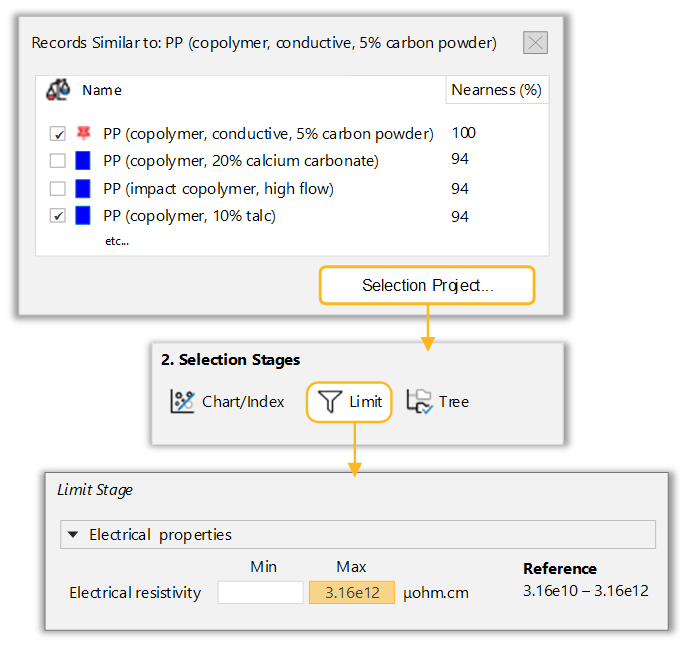
After clicking Apply, you can examine the results with Nearness (%), for example:
- PP (10-12% stainless steel fiber) - 86%
- PP (10% carbon fiber) - 82%
- PC (6% stainless steel fiber) - 69%