Exercise 3: Search and Find Similar
You can find a material using Search, and then use Find Similar to look for other similar records.
-
Find records similar to the selected record
Click
 Find Similar. Use the default weightings to calculate
nearness; do not open the Nearness Settings window.
Find Similar. Use the default weightings to calculate
nearness; do not open the Nearness Settings window.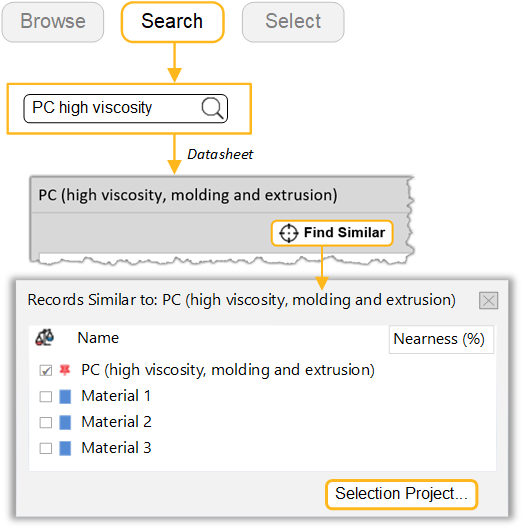
-
Apply additional design constraints
Click Selection Project... to create a selection project and rank the results by nearness to the reference record.
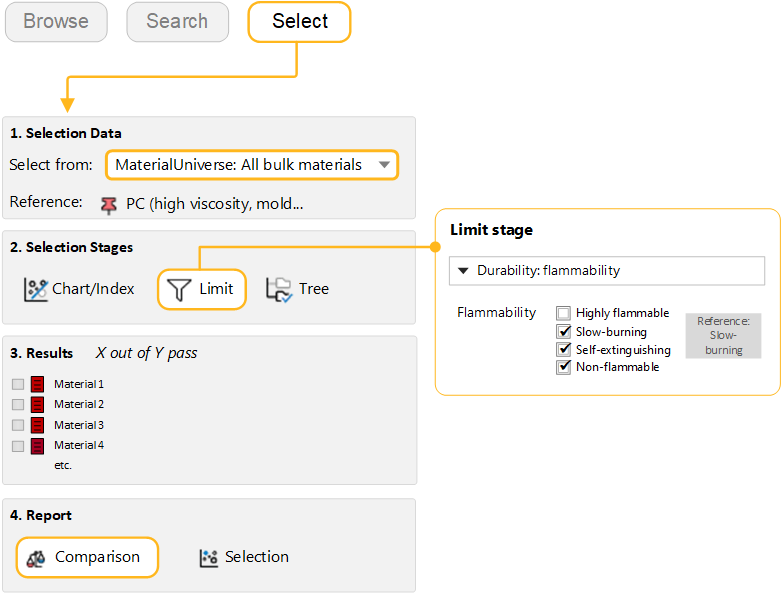
Add a Limit Stage and select materials with equal or poorer flammability than the reference:
- Flammability:
- Slow-burning