Exercise 1: Comparison Tables
Comparison Tables allow you to compare several different records at once, and highlight differences between them.
-
Add an unfilled PP (Polypropylene) and an unfilled high-density PE
(Polyethylene) record to a Comparison Table.
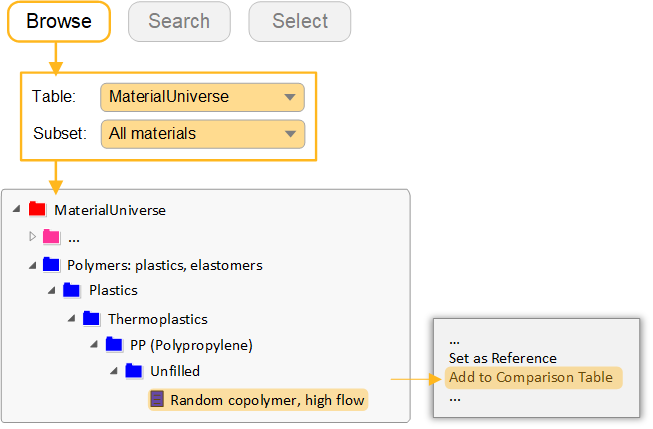
Find an example of each in the Browse tree, then right-click and select Add to Comparison Table.
-
Set the high-density PE as the reference record
Hover over the record name in the Comparison Table and click
 Set as Reference.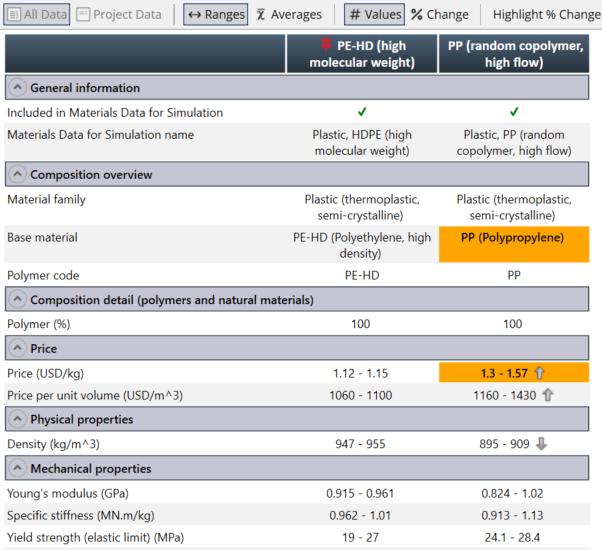
-
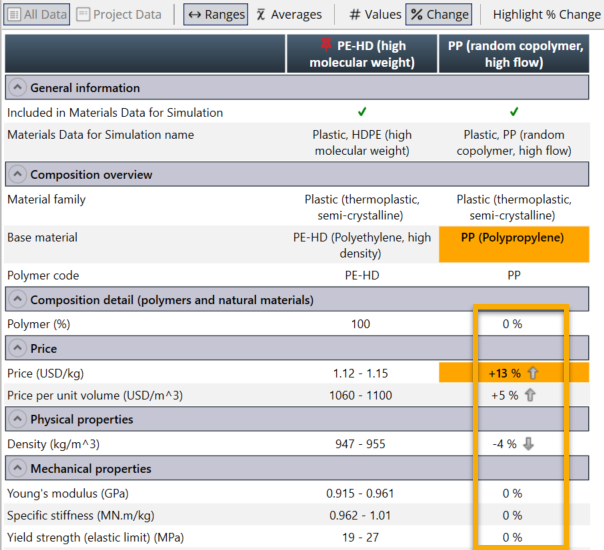
Change the display to show the differences relative to the reference record as
percentages
Click % Change in the Comparison Table toolbar.
-
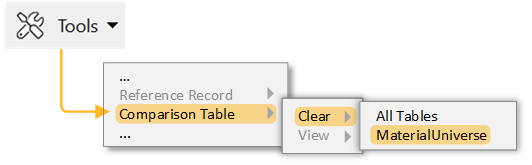
Clear the Reference Record selection and the Comparison Table
Click Tools on the main toolbar, then:
- Select
- Select