Databases, tables, and subsets
A database consists of one or more tables (data sets) which are linked together. Tables can be filtered by subset, which focus on specific record classes.
When the program starts, select a database to open. The database homepage is shown whenever a new database is opened, and contains information about the data, subsets, and further resources. You can return to the database homepage by clicking Home.
You can select a different database at any time by clicking Change in Browse, Search, or Chart/Select.
Tables
A Table is a compilation of information relevant to a single type of entities (records). For example, it may contain materials and their properties, or manufacturing processes. A Table can be thought of as one page of a spreadsheet: with records (for example, materials) in each row and a set of attributes (sometimes called properties, or 'fields') in the columns.
The main selection tables contain materials and manufacturing processes, and the supporting tables contain information about producers and references (the sources of information that were used to compile the main tables).
Each Table in the current database is represented by an entry in the Table list. The records in each Table are arranged into a hierarchical 'classification tree' structure, where data records with similar attributes are grouped together under folders. These folders, which may themselves have attributes, are similarly grouped together into other folders. Individual data records are the 'leaves' of the tree, and folders are the branches.
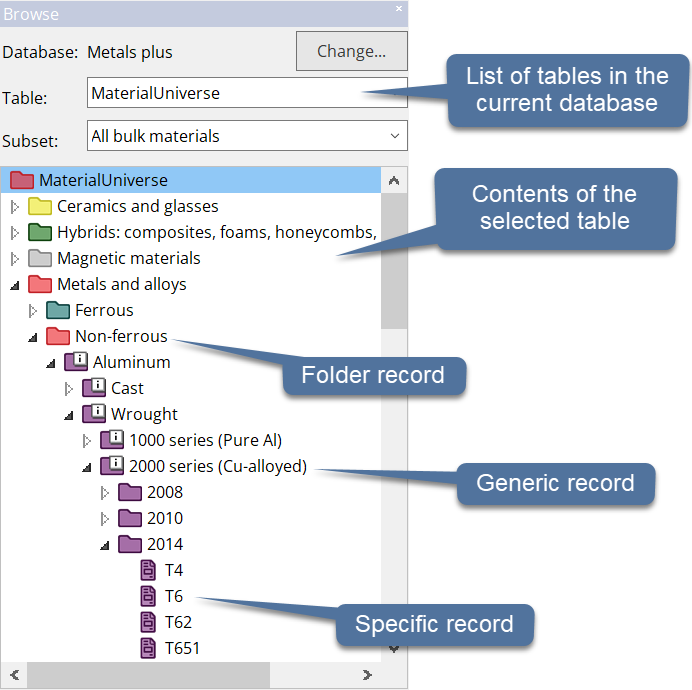
Granta Selector can only perform selections on one table at a time - for example MaterialUniverse or ProcessUniverse. This table is called the Selection Table. The Selection Table is set for the current 'Project'.
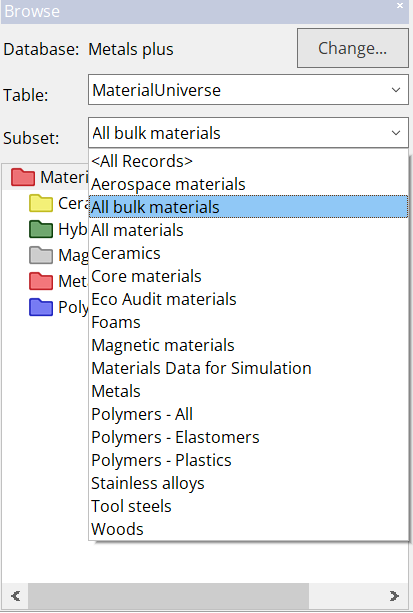
Record Subset
Subsets are used to refine the available data in a table.
A set of pre-defined subsets is available for each table, and can be selected when using Browse or Chart/Select.