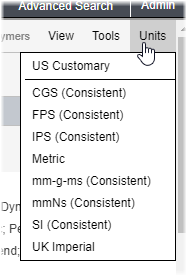
Changing the application display units
If the current database contains two or more Unit Systems, you can select the one you prefer to use in MI Viewer.
Numeric data is stored in the database in the database units. Unit Systems in Granta MI allow numeric values to be converted to units other than the underlying database unit when the data is displayed, edited, or exported. Granta MI databases include a number of common unit systems like Metric, US Customary, and SI (Consistent).
For example, the Attribute Density in MaterialUniverse has the underlying unit Mg/m^3. When viewing or exporting data, this value is converted in different unit systems:
- In the Metric unit system, it is converted to kg/m3 (kg/m^3)
- In the US Customary unit system, it is converted to lb/in3 (lb/in^3)
- In the CGS (Consistent) unit system, it is converted to g/cm3 (g/cm^3)
The Unit System you choose in MI Viewer will be used:
- when viewing Comparison Tables and Charts, and X-Y charts,
- when exporting record data to Excel
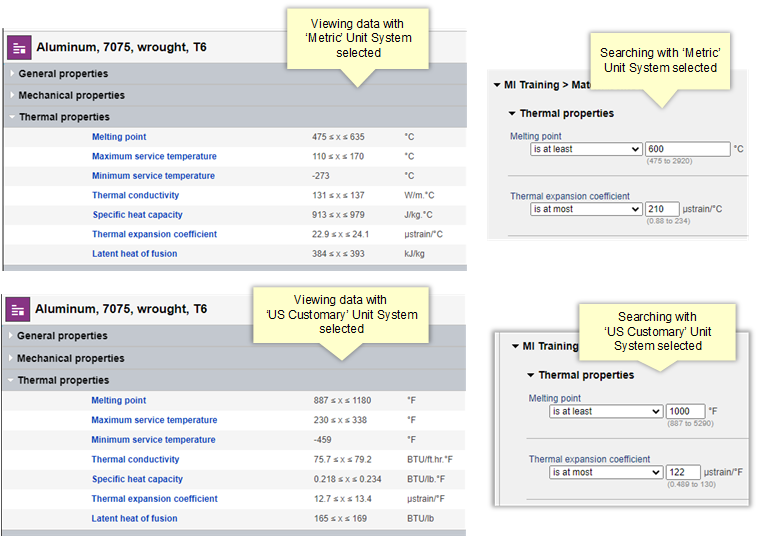
- when viewing and editing data in datasheets, and when searching for data:
Users with sufficient privileges can view unit conversion information for the selected database, and edit individual Attributes to change the units in which data is stored.