Select a database or Profile
The selected database or Profile determines which Tables, folders, Records, and Subsets are shown in the Contents tree, and also defines the scope of any searches performed in MI Viewer.
Video: How to choose the right Profile [0:37]
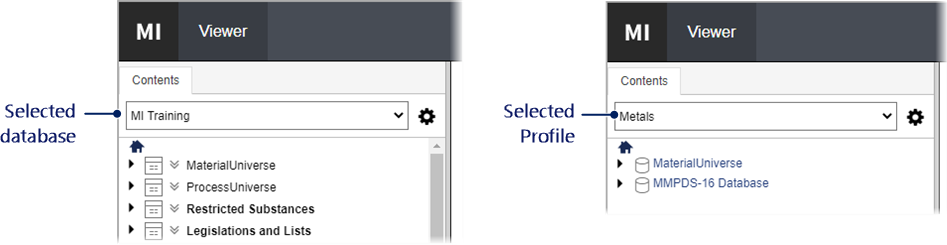
If multiple databases and Profiles are available, you can switch between them here.
Your MI Administrator may or may not have configured Profiles for use
in your system. Profiles can be used to present different sets of data
from one or more databases in a single, easy-to-navigate and easily searchable
collection. Profiles can include a home page which you can view
at any time by clicking Home on
the MI Viewer toolbar or  at
the top of the Contents tree.
at
the top of the Contents tree.
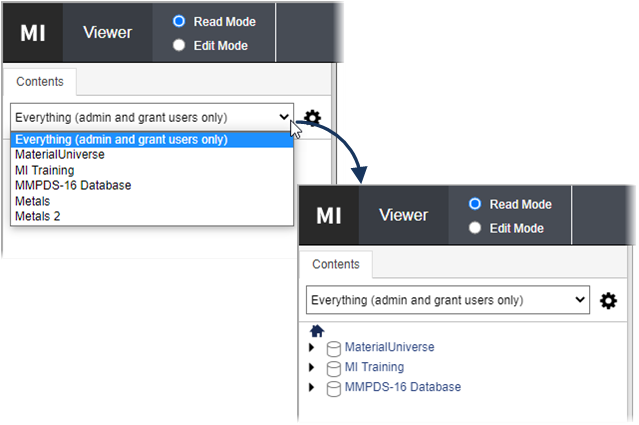
Users with system security Grant or Admin privileges can also see an ‘Everything’ entry at the top of this list which allows them to view all of the databases currently available in your Granta MI system: