


Searching for a Preferred material
You can search for a Preferred Material from within MI Materials Gateway, by running a search from the top of the Gateway Window. This will search the material name, and any other text fields (for example, description).
To search your organization's Preferred Materials list in Gateway: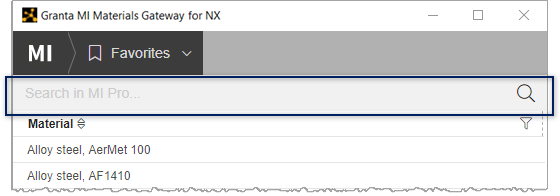
- If you know the material name (or part of the name), you can run a text search.
- If you have a specific condition that must be satisfied (for example, the material must belong to a particular class), you can run a more advanced search within the Gateway app by adding a filter.
Tip: You can also use the advanced search features in MI Pro Explore to find relevant materials based on
their properties. When you have identified the material you want in Explore you can then
return to the Gateway app and search for it by name.
-
Enter your search term, then press Enter or click

- Optional:
To add filters to your search, click Filters in the
navigation bar.
Tip: To start a new search, click
 in the search bar to
clear the old search term.
in the search bar to
clear the old search term.