
Editing a Plane
To edit a plane:
- Select the plane you want to edit.
- Click Advanced > Plane
(Boundary/Cutout).
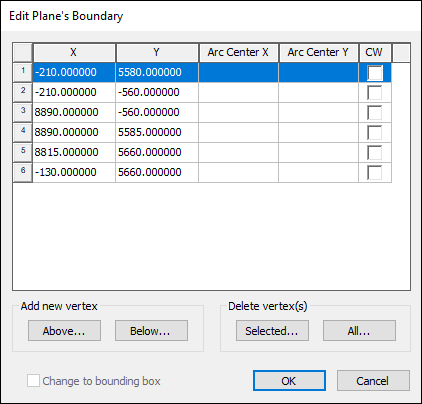
The Edit Plane's Boundary window appears.
- If applicable, edit the plane as follows:
- Modify the X, Y, Arc Center X, or Arc Center Y values by double-clicking a cell and entering the new value.
- Specify that an arc is clock-wise by checking the CW box.
- Add a new vertex above or below an existing vertex using the Above and Below buttons.
- Delete a plane vertex by selecting its row and clicking Selected
- Delete all plane vertices by clicking All...
- Click OK to apply your changes.