


Determining the Specifications of the Virtual Machine Size Defined for a Queue
Each queue defines a virtual machine (VM) size to be used for compute nodes.
To find out which VM size is defined for a queue:
- Go to the queue details as described in Viewing the Details of an Autoscaling Cluster Queue.
In the queue details, select the VM Size tab. This tab displays the virtual machine size selected for the queue's compute nodes.
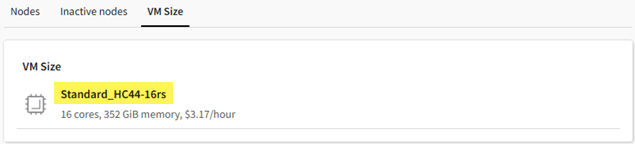
When you know the name of the VM size, you can learn about its specifications in the following ways:
- Refer to Sizes for virtual machines in Azure and Virtual Machine series in the Microsoft Azure documentation.
- Launch the autoscaling cluster wizard (in a project space that does not have an autoscaling cluster) or launch the virtual desktop wizard. Navigate to the Hardware page of the wizard to view the specifications for different VM sizes. (You can then cancel the wizard.)
- Connect to the Slurm client virtual desktop or cluster head node via SSH and type scontrol show node to view the details of each node.